
Chromebook · Accountability partner
Add an accountability partner
Invite someone you trust from the You tab.
Pick up where you left off?
Step 1 of 3
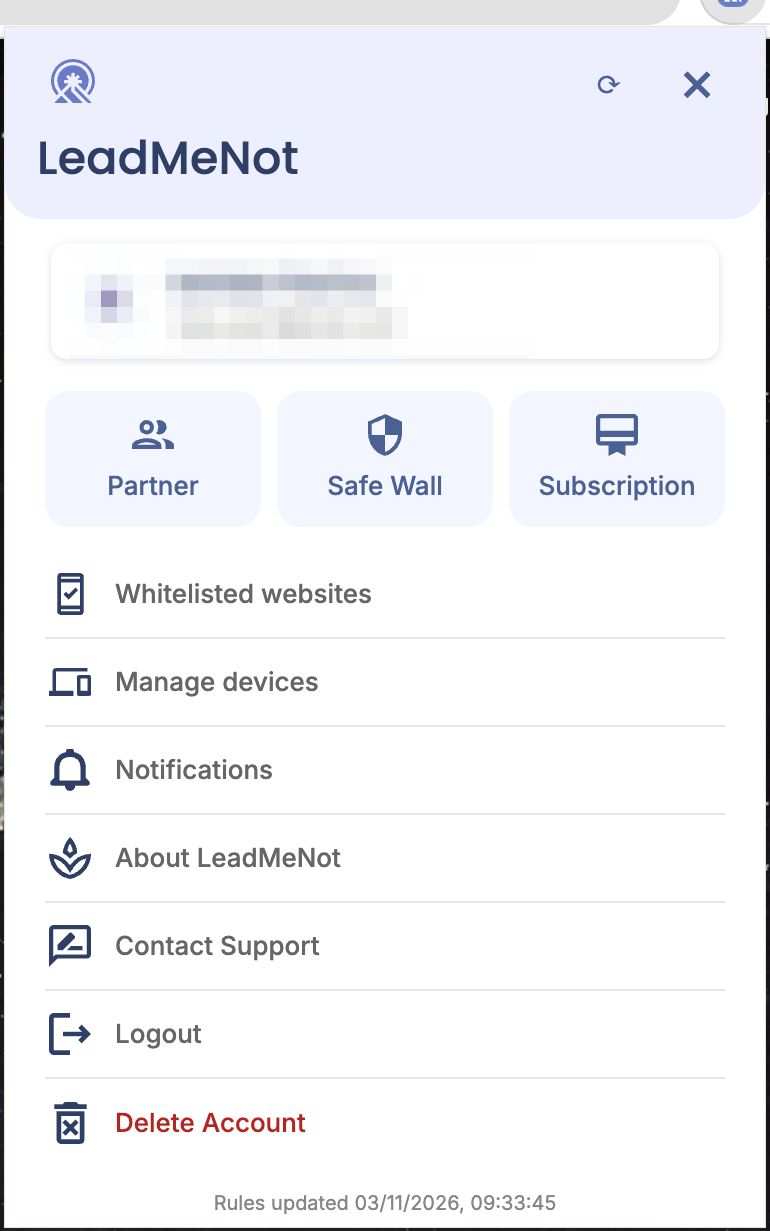
Open You › Partner
Click the person icon in the top right, then Partner.
Step 2 of 3
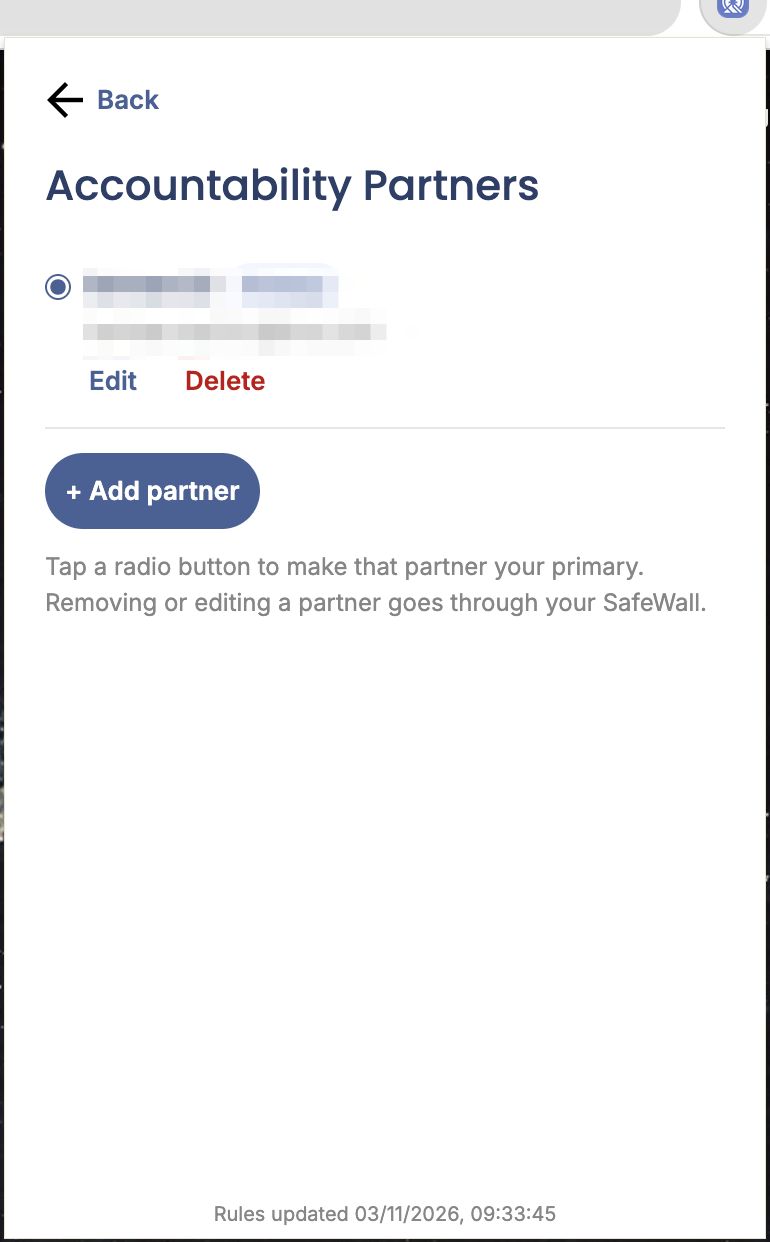
Click Add partner
Your partners are listed here. The selected radio button is your primary partner, who gets Safe Wall requests. Click + Add partner.
Step 3 of 3
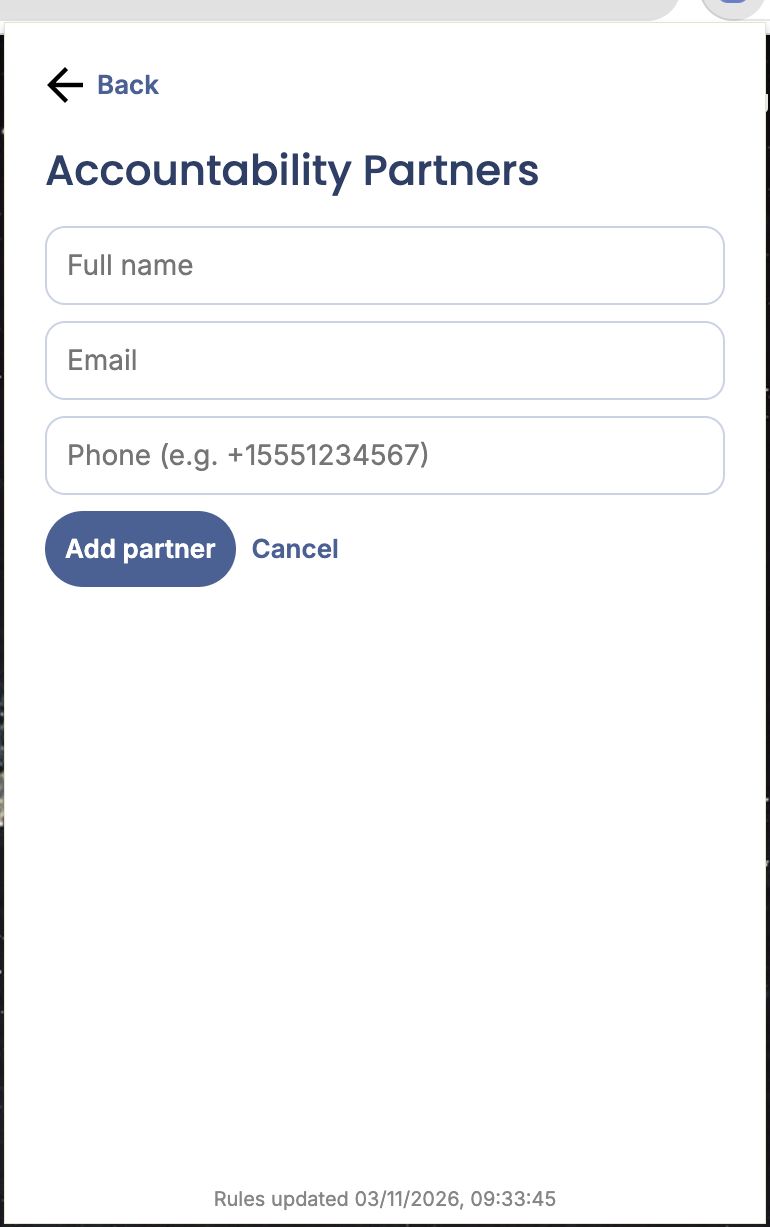
Enter their name and email
Fill in their name and email and click Add partner. They get an invitation by email.
Good to know
The phone number is optional.
Pick an option above
Did this work?
Great. Here's what people usually do next:
Sorry about that. Email Jason and we'll include which guide and step you were on, or ask our assistant.