
Chromebook · Limit or block apps & sites
Block a website or keyword
Add your own sites and words on top of the built-in lists.
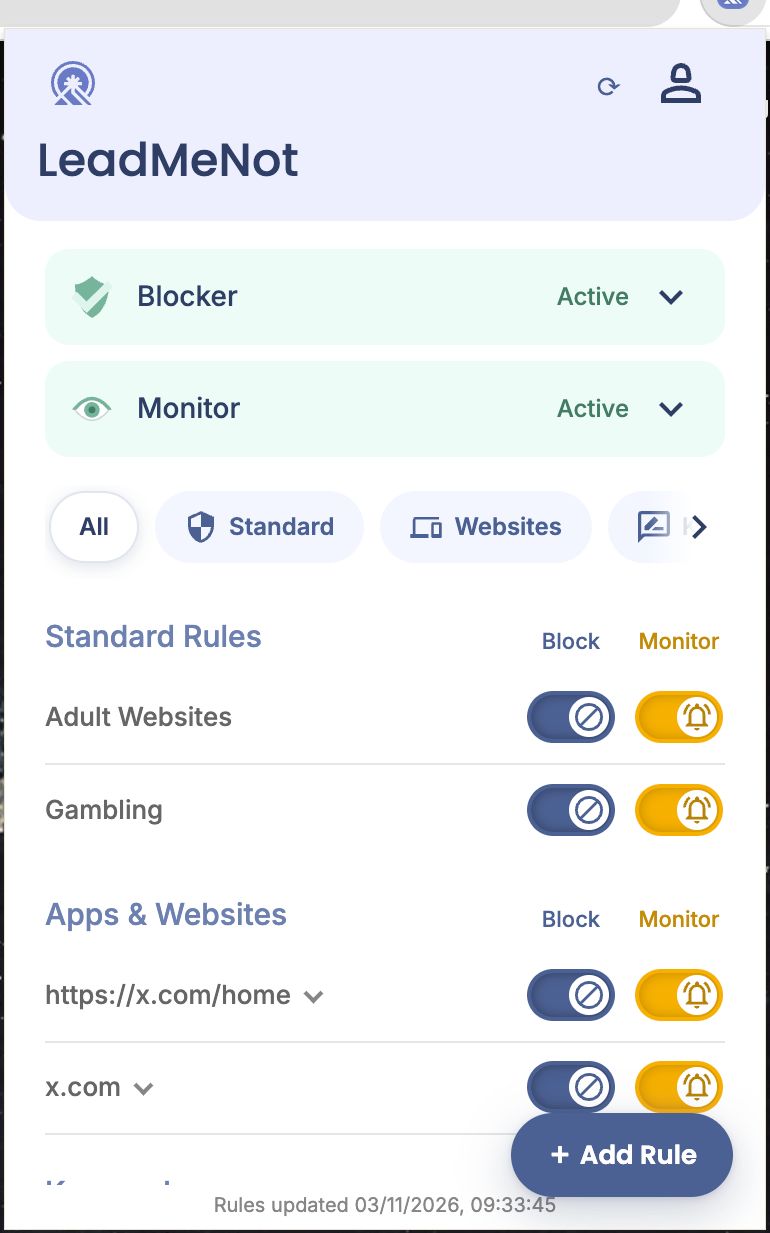
Step 1 of 6
Click Add Rule
On the main screen, click + Add Rule in the bottom right.
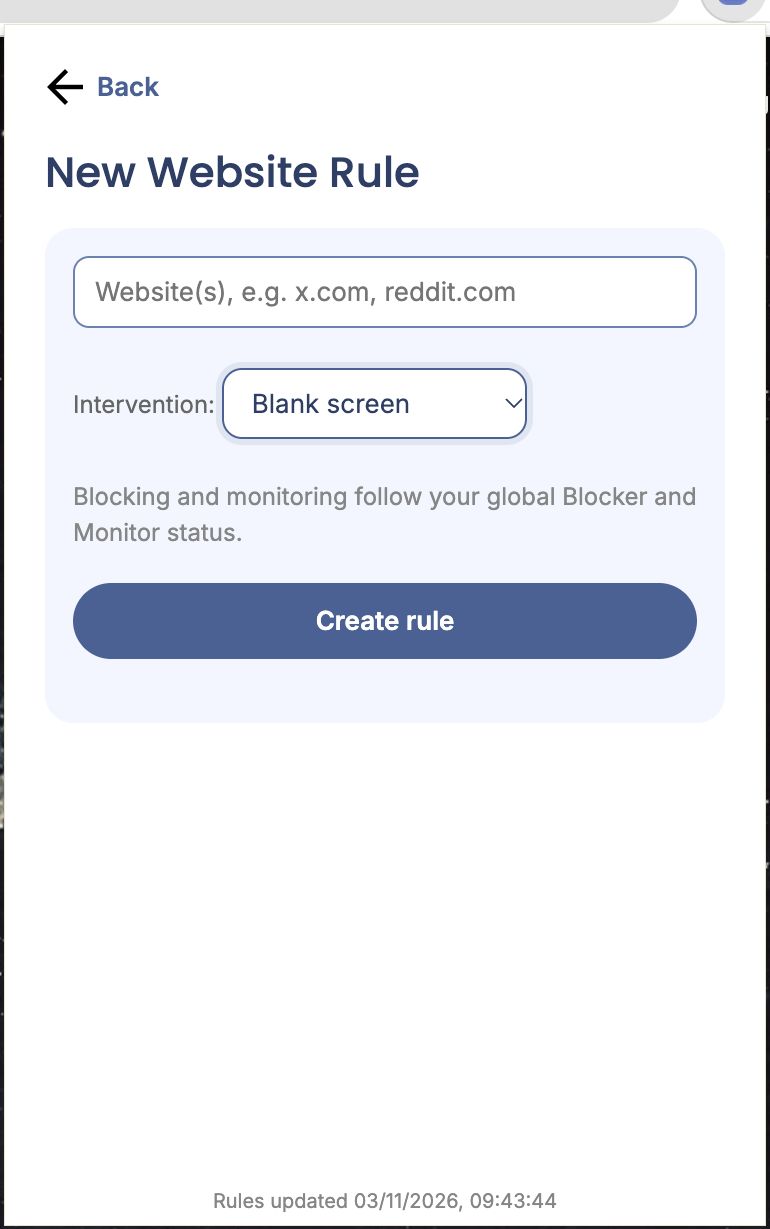
Step 2 of 6
Website rule: type the sites
Enter one or more websites, like x.com, reddit.com. Pick an Intervention (what you see instead) and click Create rule.
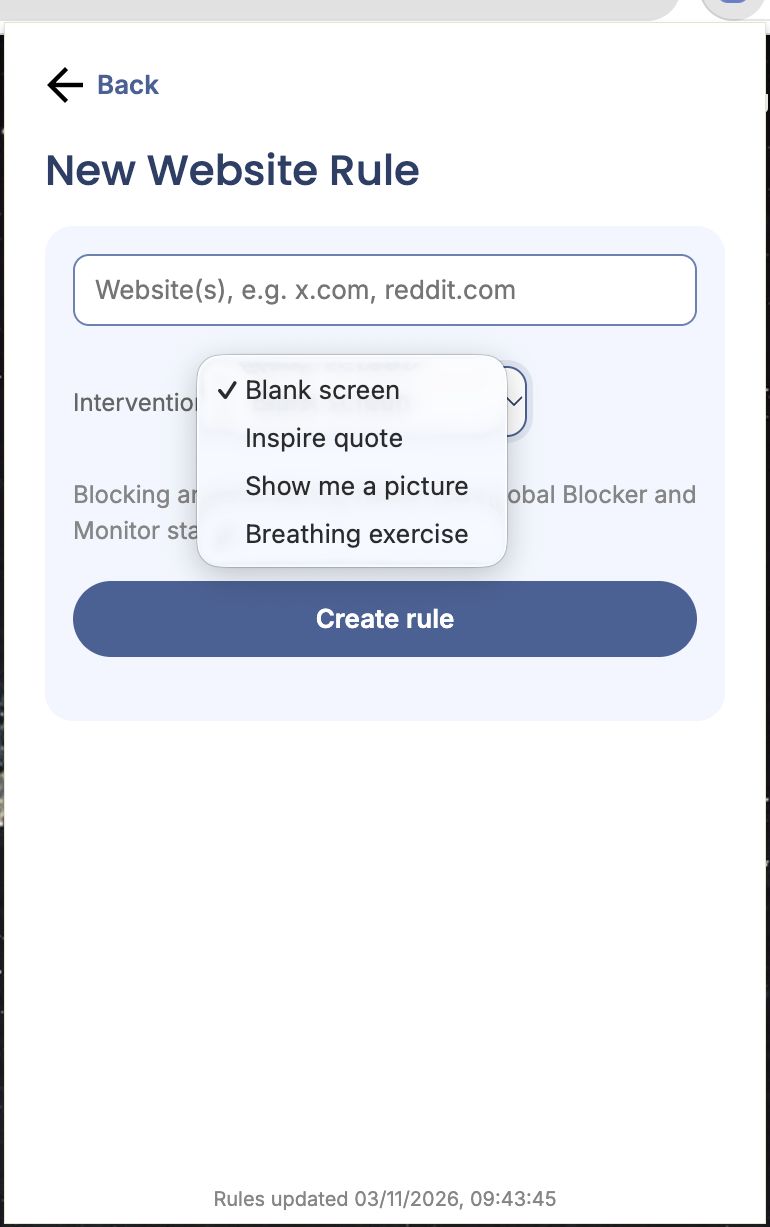
Step 3 of 6
Pick what you see instead
Blank screen, an inspiring quote, a picture of your choice, or a two-minute breathing exercise.
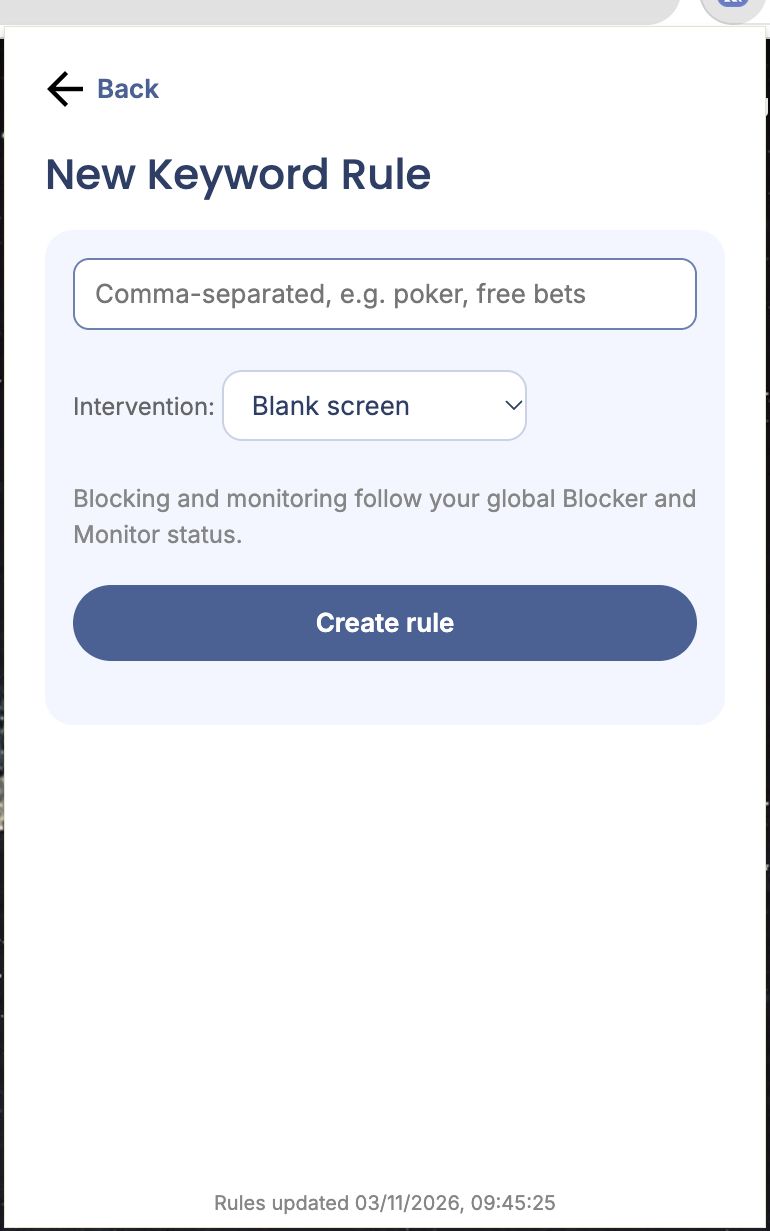
Step 4 of 6
Keyword rule: type the words
Enter words separated by commas, like poker, free bets. Pick an intervention and click Create rule.
Blocking and monitoring for your rules follow the global Blocker and Monitor switches on the main screen.
Step 5 of 6
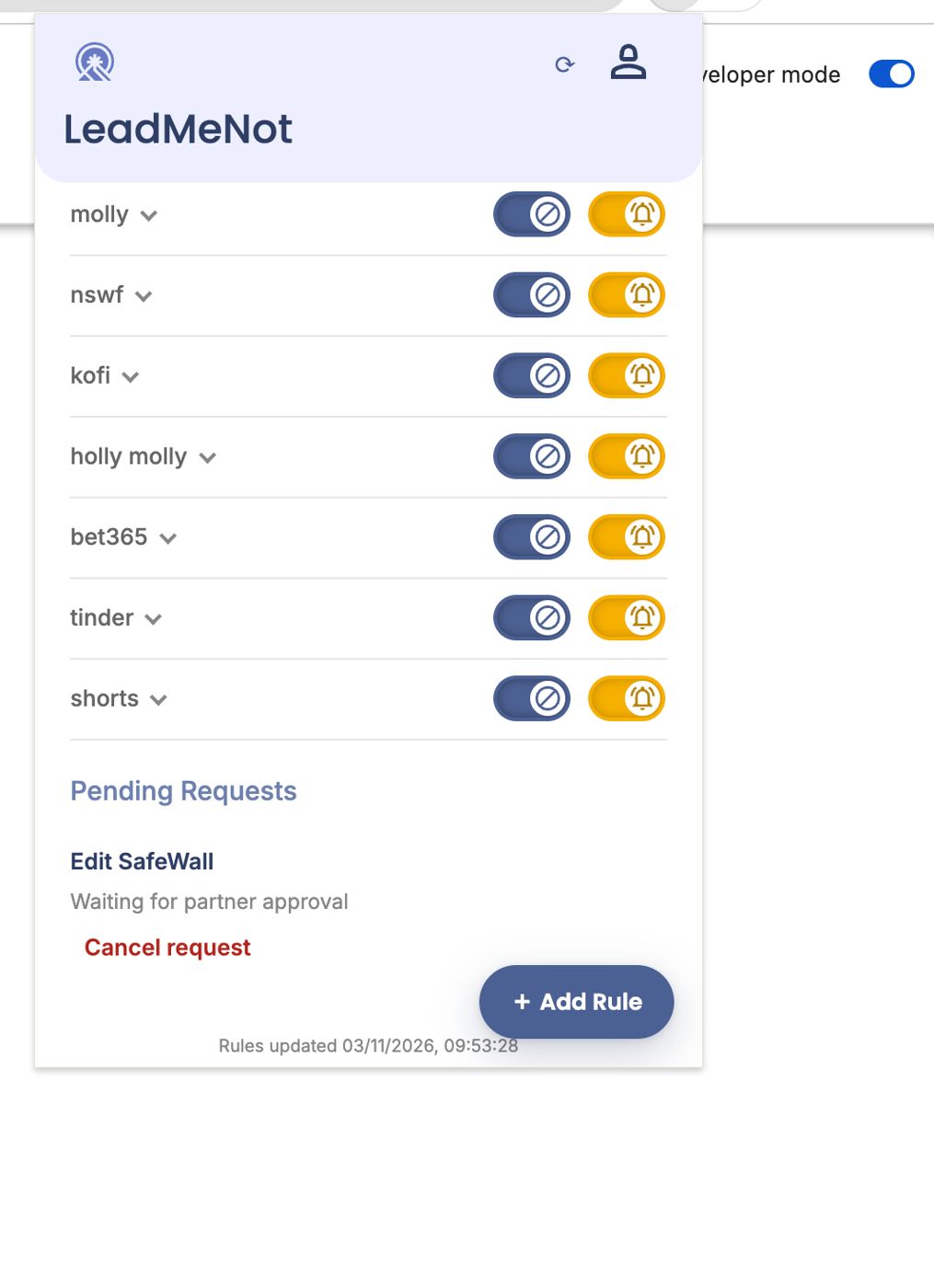
Your rules are listed on the main screen
Each has its own Block and Monitor switch. Click a rule's arrow to edit or remove it (through your Safe Wall).
Chrome
Step 6 of 6
Test it: type leadmenottest
Open Chrome, type leadmenottest into the address bar and go. If LeadMeNot blocks the page, everything is working.
Not blocked? Check the extension is switched on at chrome://extensions, you're signed in, and Adult blocking is on. For Incognito, Allow in Incognito must be on too.
The test only works while blocking is on, for example with Adult Websites & Apps switched on.
Did this work?
Great. Here's what people usually do next:
Sorry about that. Email Jason and we'll include which guide and step you were on, or ask our assistant.