
Chromebook · Change or allow something
Turn a rule or the Blocker off
What Safe Wall does when you switch something off.
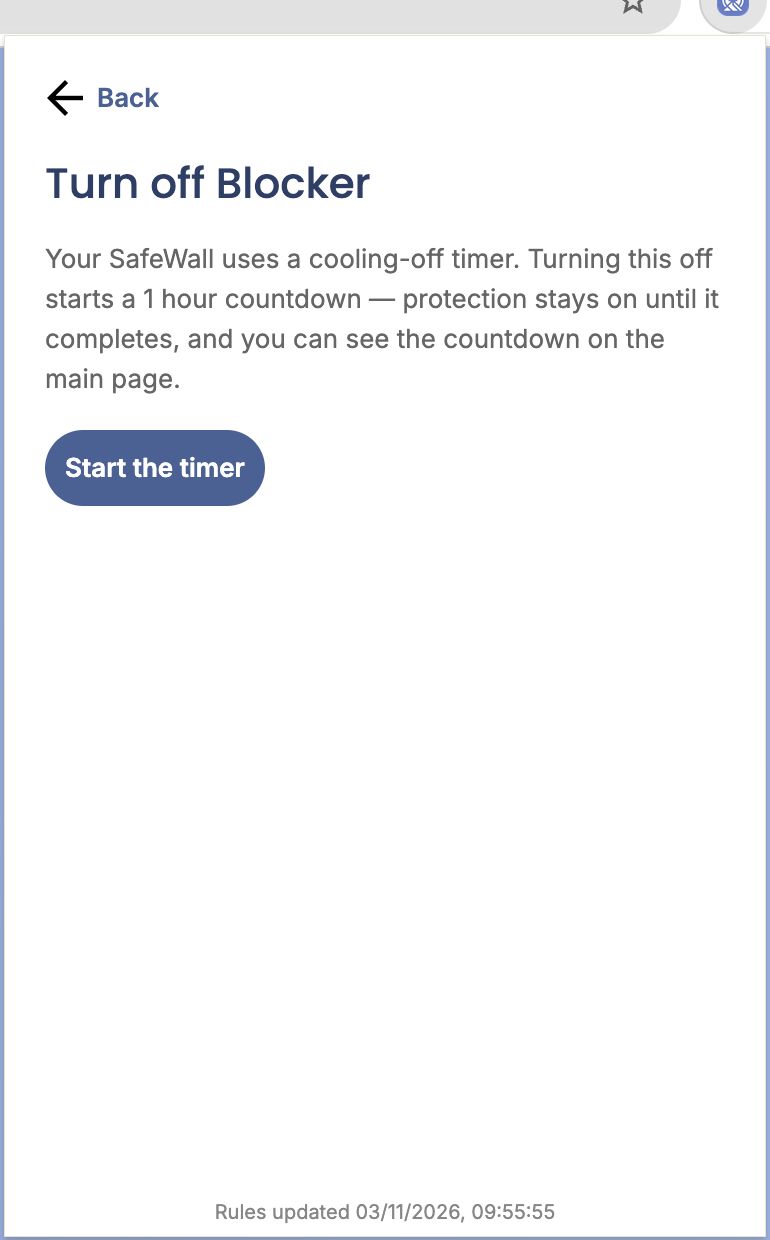
Step 1 of 4
Make me wait: start the timer
Switching off starts a countdown. Protection stays on until it finishes. Click Start the timer.
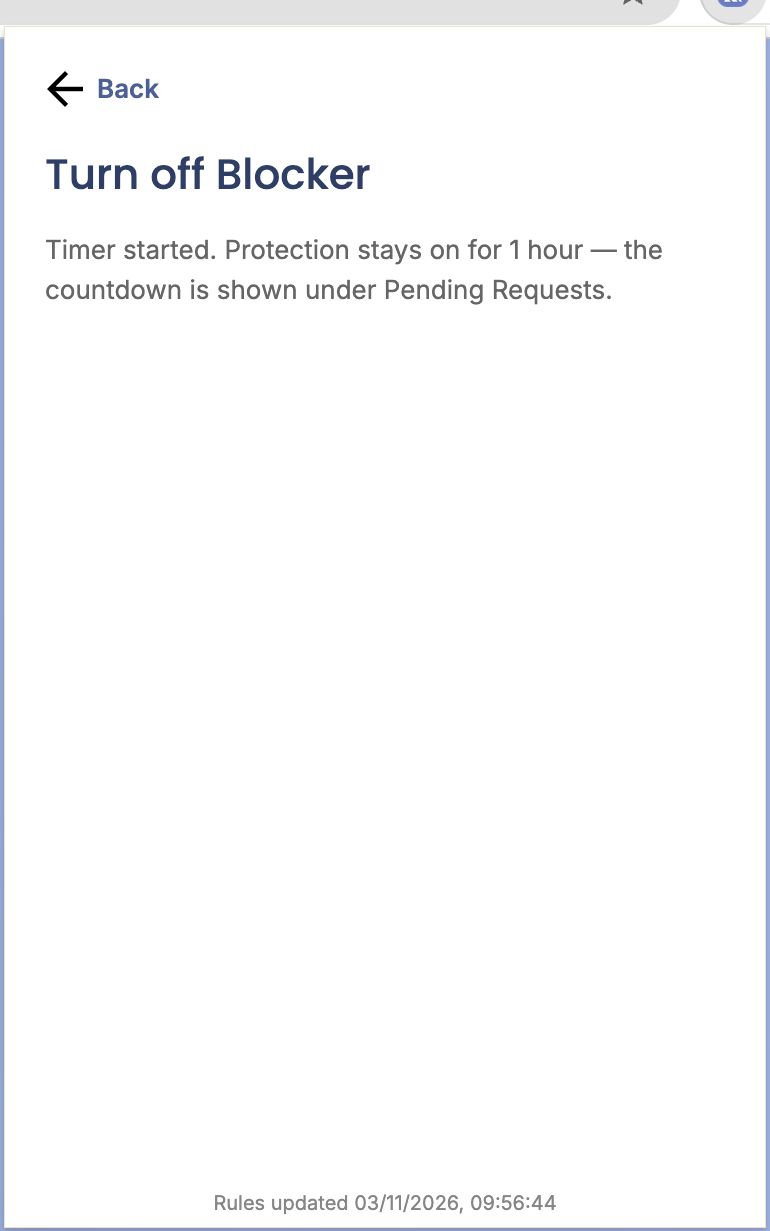
Step 2 of 4
Timer started
You can close the popup. The countdown shows under Pending Requests on the main screen.
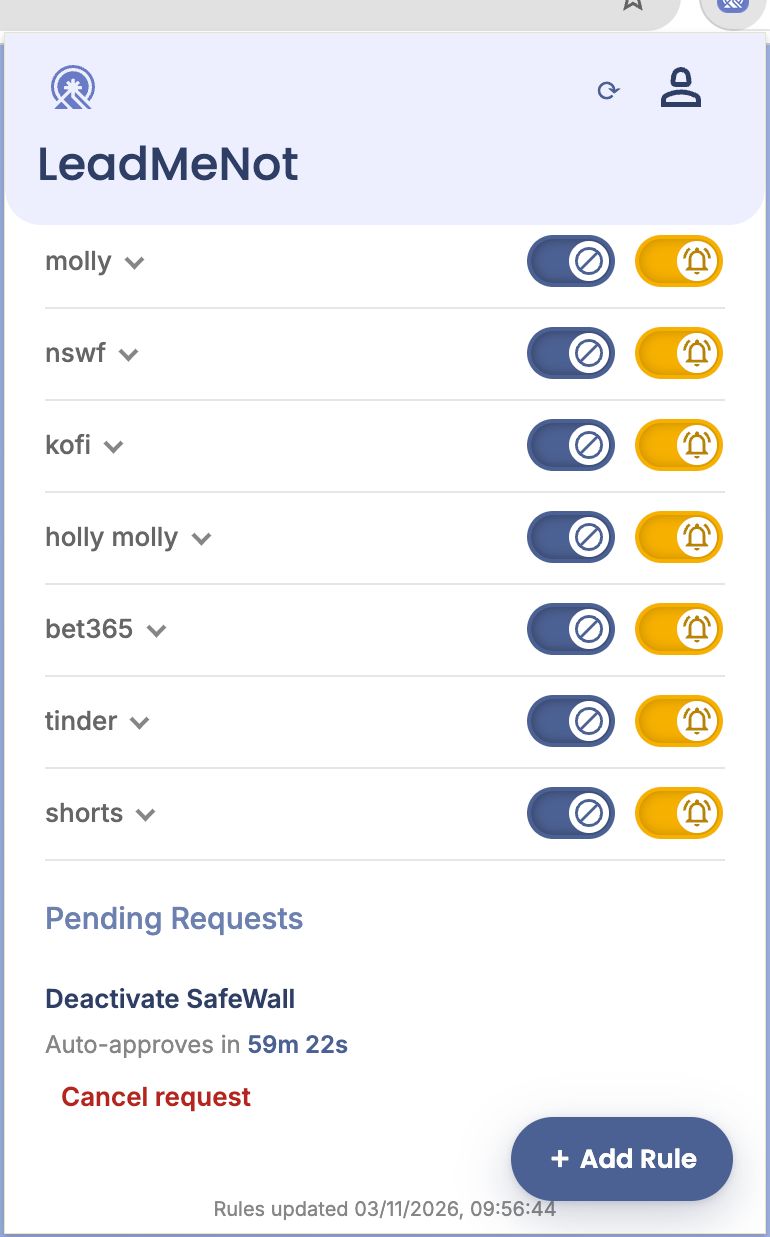
Step 3 of 4
Pending Requests
The request and its countdown are listed at the bottom of the main screen. Click Cancel request to keep things as they are.
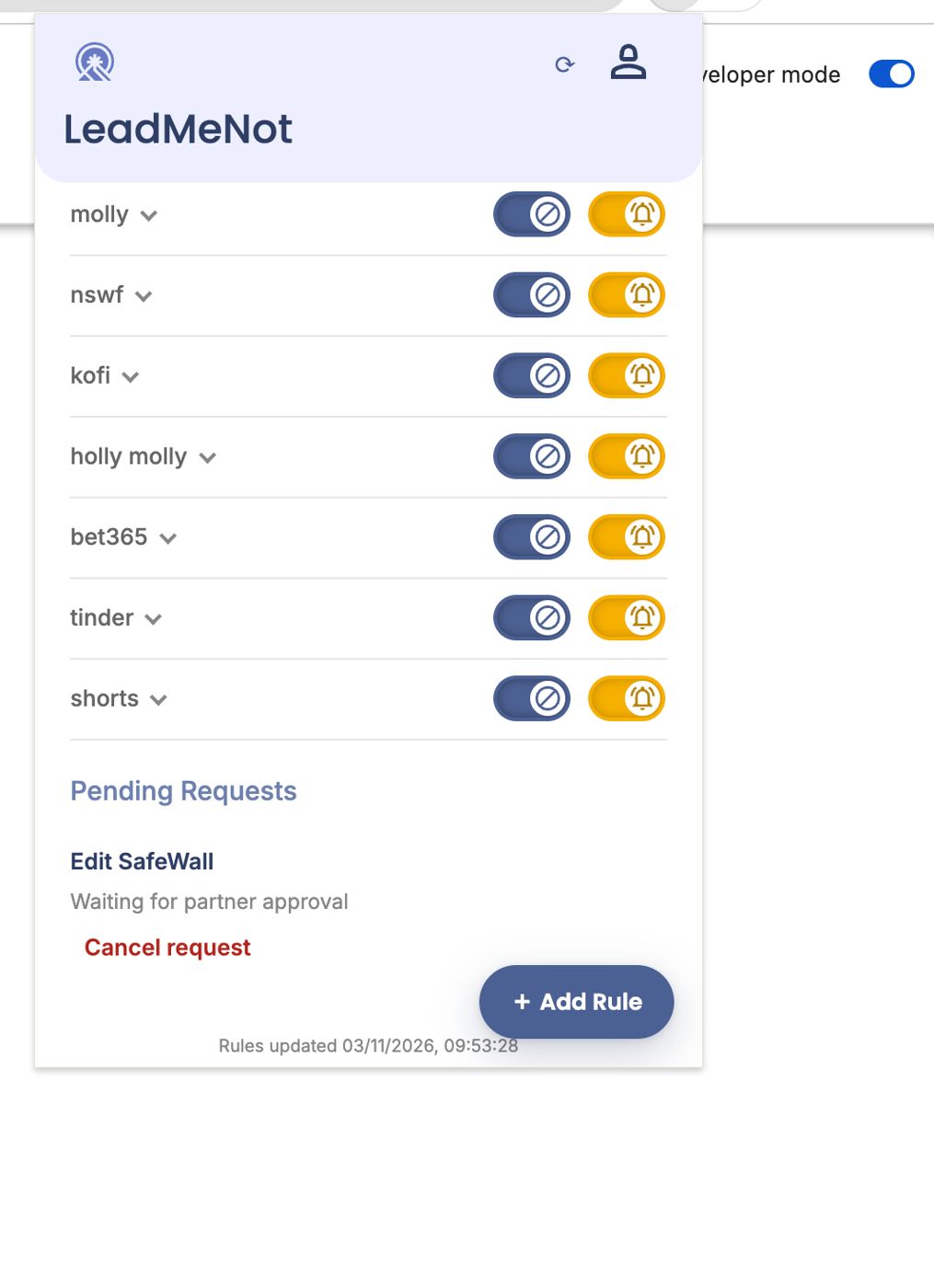
Step 4 of 4
Partner approval: waiting
With partner approval, the request shows Waiting for partner approval until they answer by email or in the LMN Partner app.
Can't reach your partner and genuinely need the change? Email jason@leadmenot.org.
Did this work?
Great. Here's what people usually do next:
Sorry about that. Email Jason and we'll include which guide and step you were on, or ask our assistant.