
iPhone & iPad · Lock it down
Require your partner's approval for changes
Switch Safe Wall to Fortress Mode so changes need your partner's OK.
Pick up where you left off?
LeadMeNot · You › Partner
Step 1 of 5
Add a partner first
Approval from partner only appears once you have a partner. Add one with Add an accountability partner, then come back.
Step 2 of 5
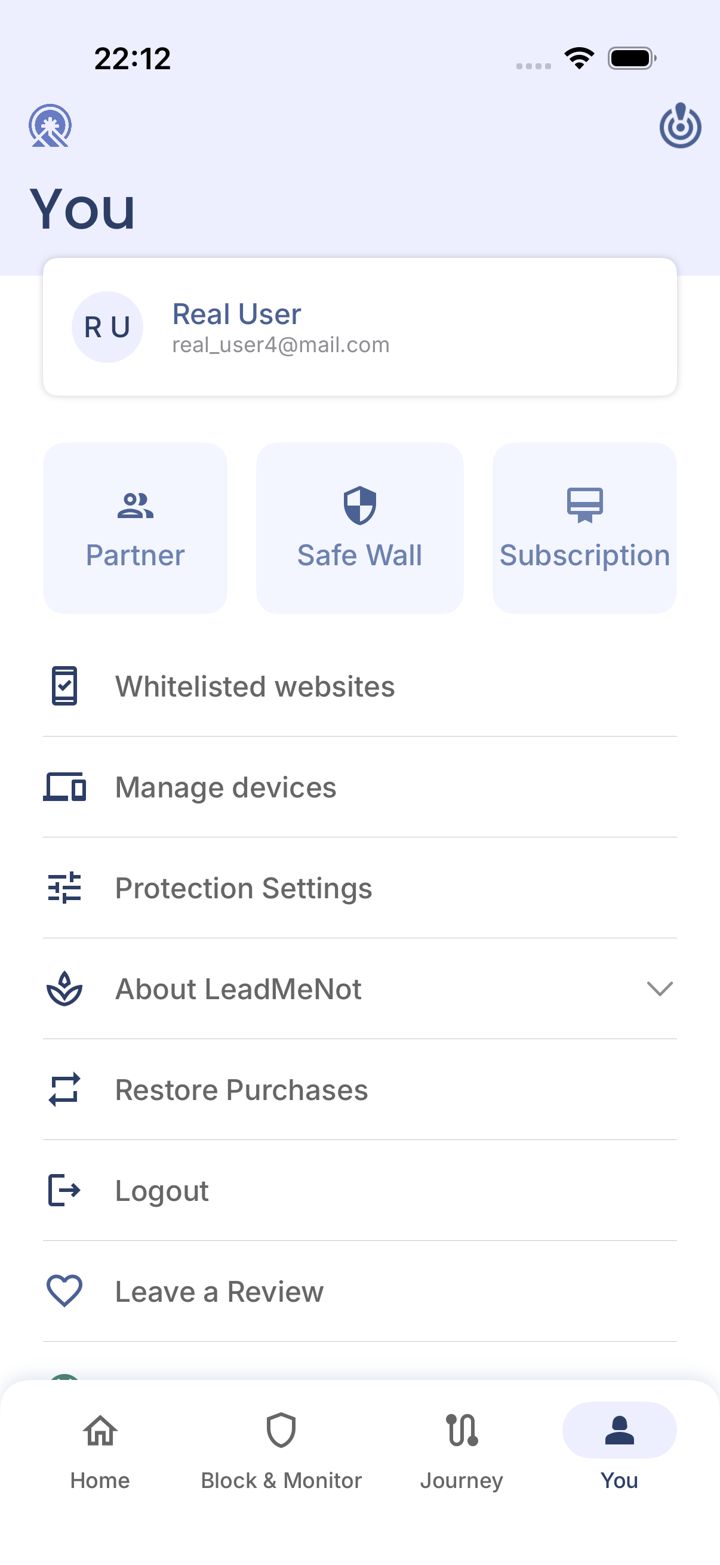
Open the You tab
Tap You in the bottom right of the app.
Step 3 of 5
Tap Safe Wall
Tap Safe Wall.
Step 4 of 5
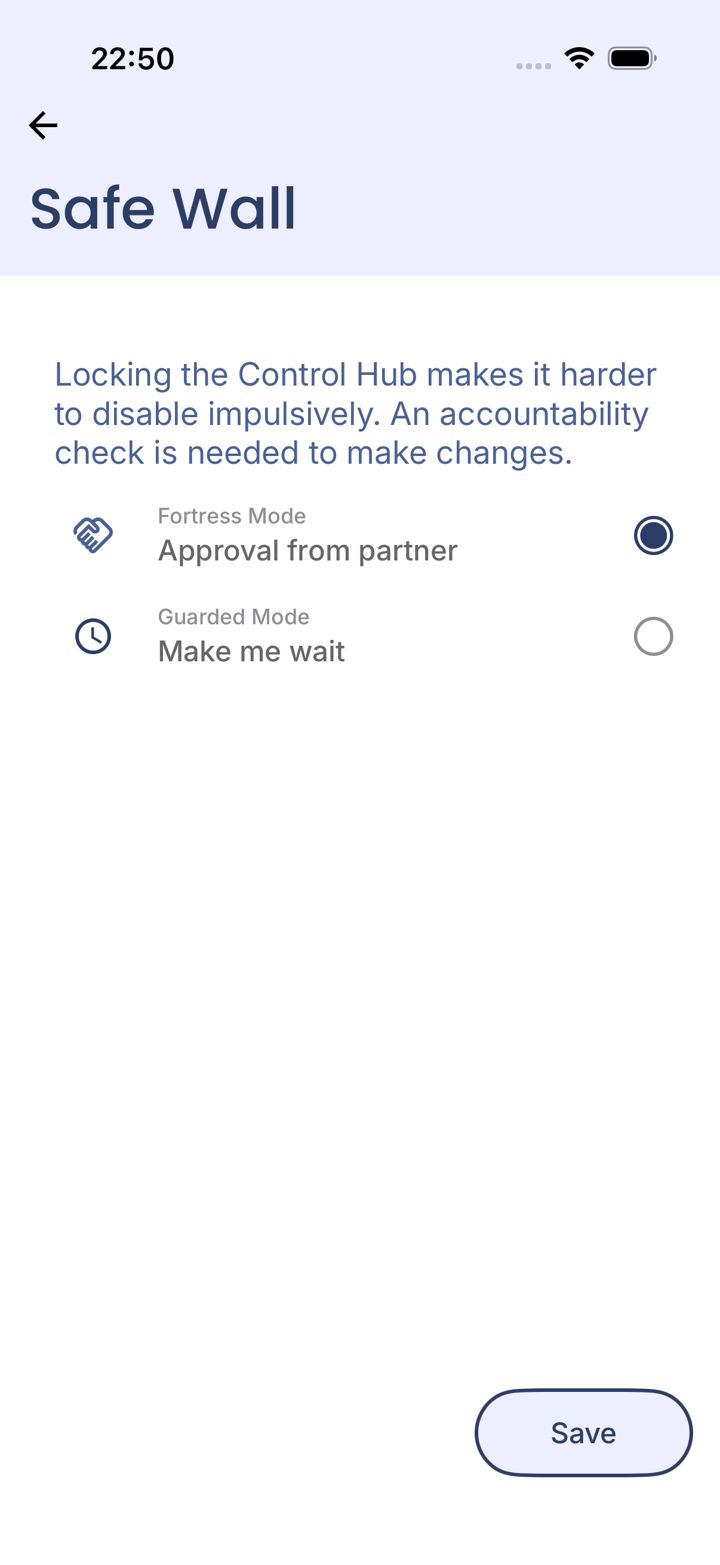
Choose Approval from partner
Select Approval from partner, then tap Save.
Step 5 of 5
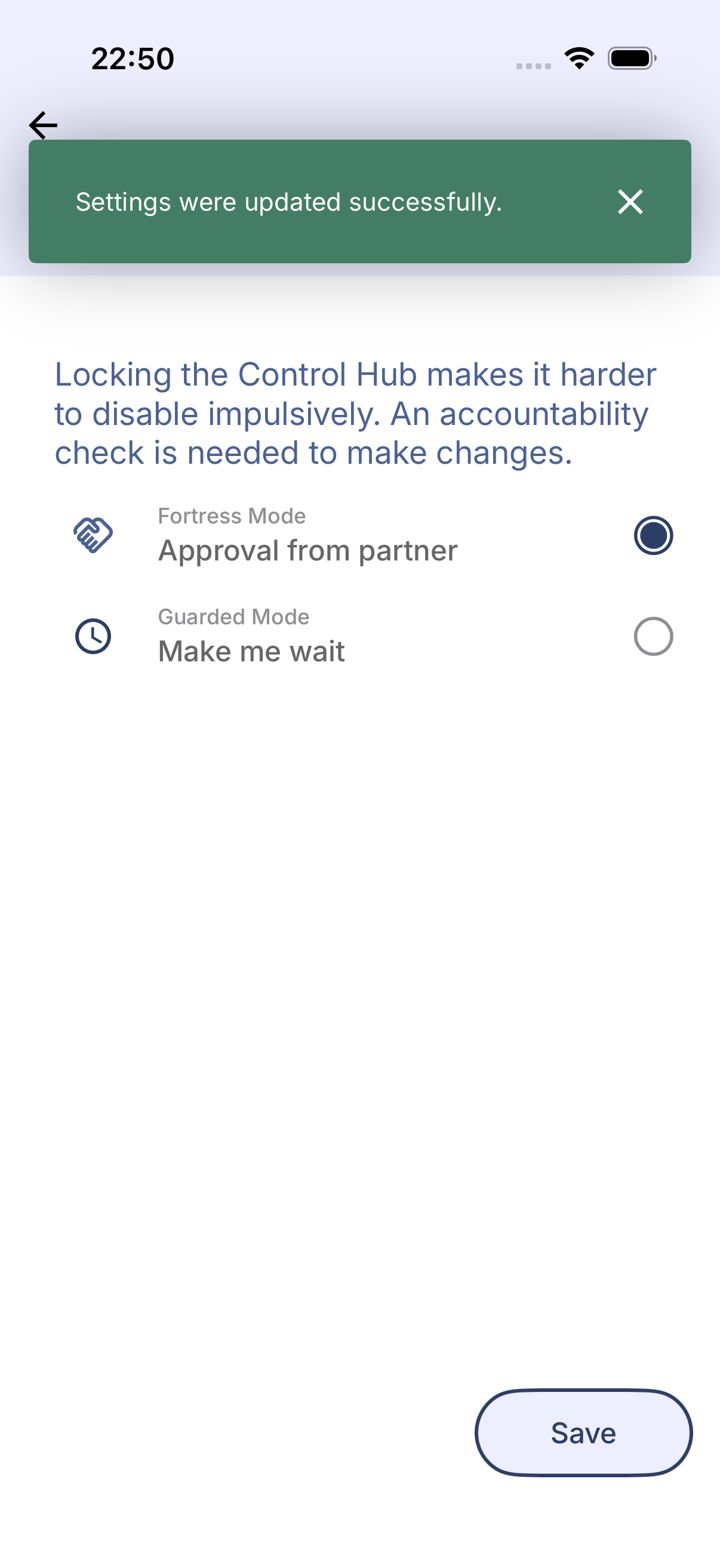
Saved
You'll see Settings were updated successfully.
Pick an option above
Did this work?
Great. Here's what people usually do next:
Sorry about that. Email Jason and we'll include which guide and step you were on, or ask our assistant.