
iPhone & iPad · Change or allow something
Turn a rule off (Make me wait)
Switch something off when your Safe Wall is set to Make me wait.
Pick up where you left off?
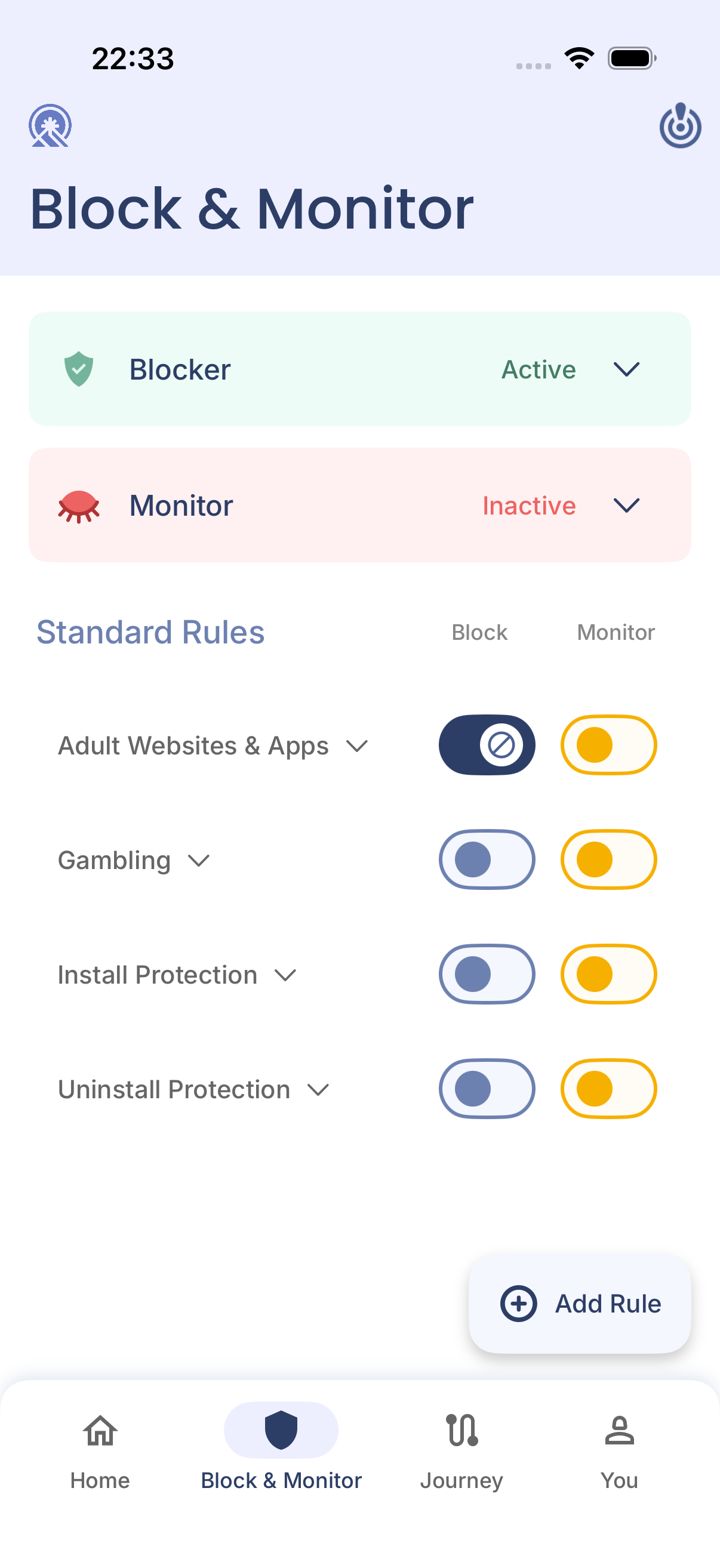
Step 1 of 4
Tap the switch you want off
On Block & Monitor, tap the switch you want to turn off.
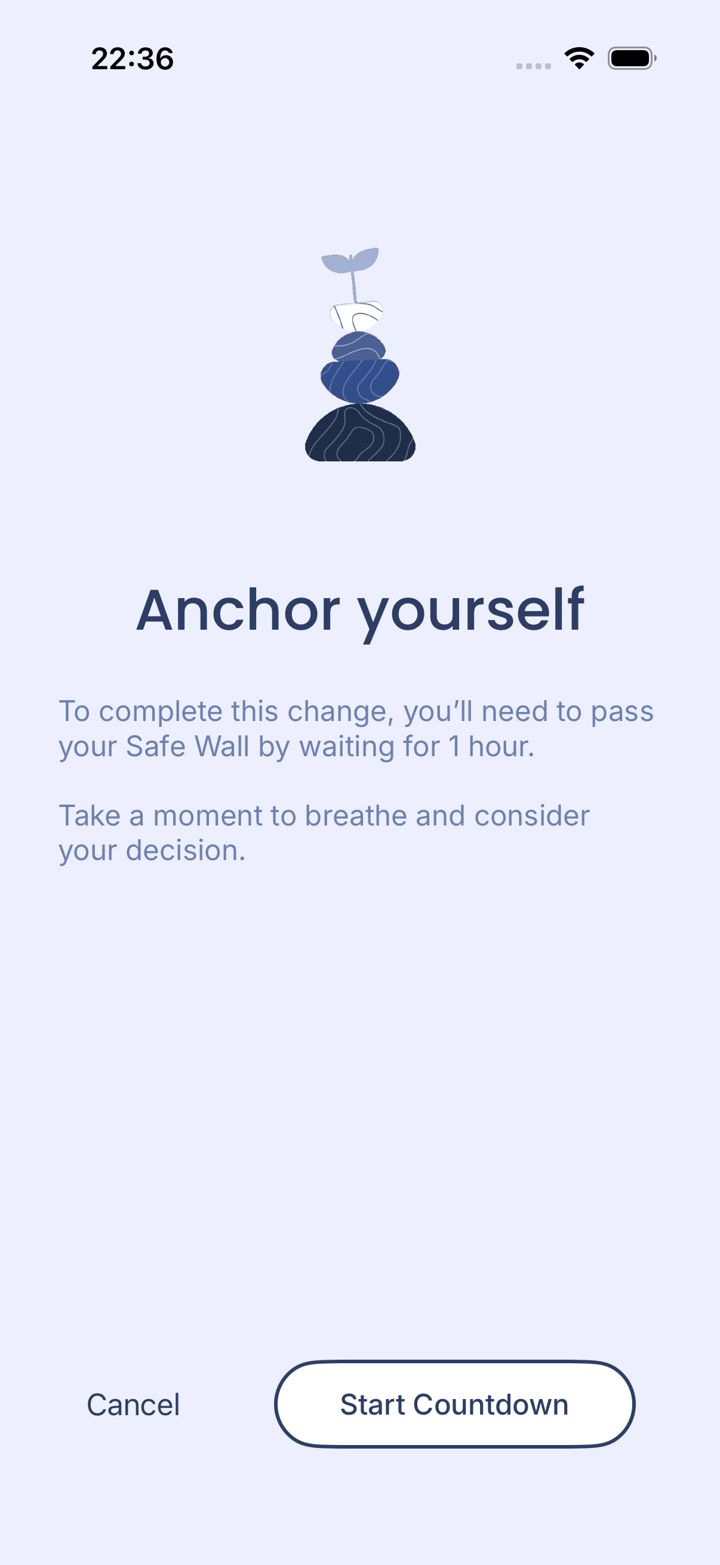
Step 2 of 4
Start the countdown
Take a breath. If you still want the change, tap Start Countdown. Tap Cancel to keep it on.
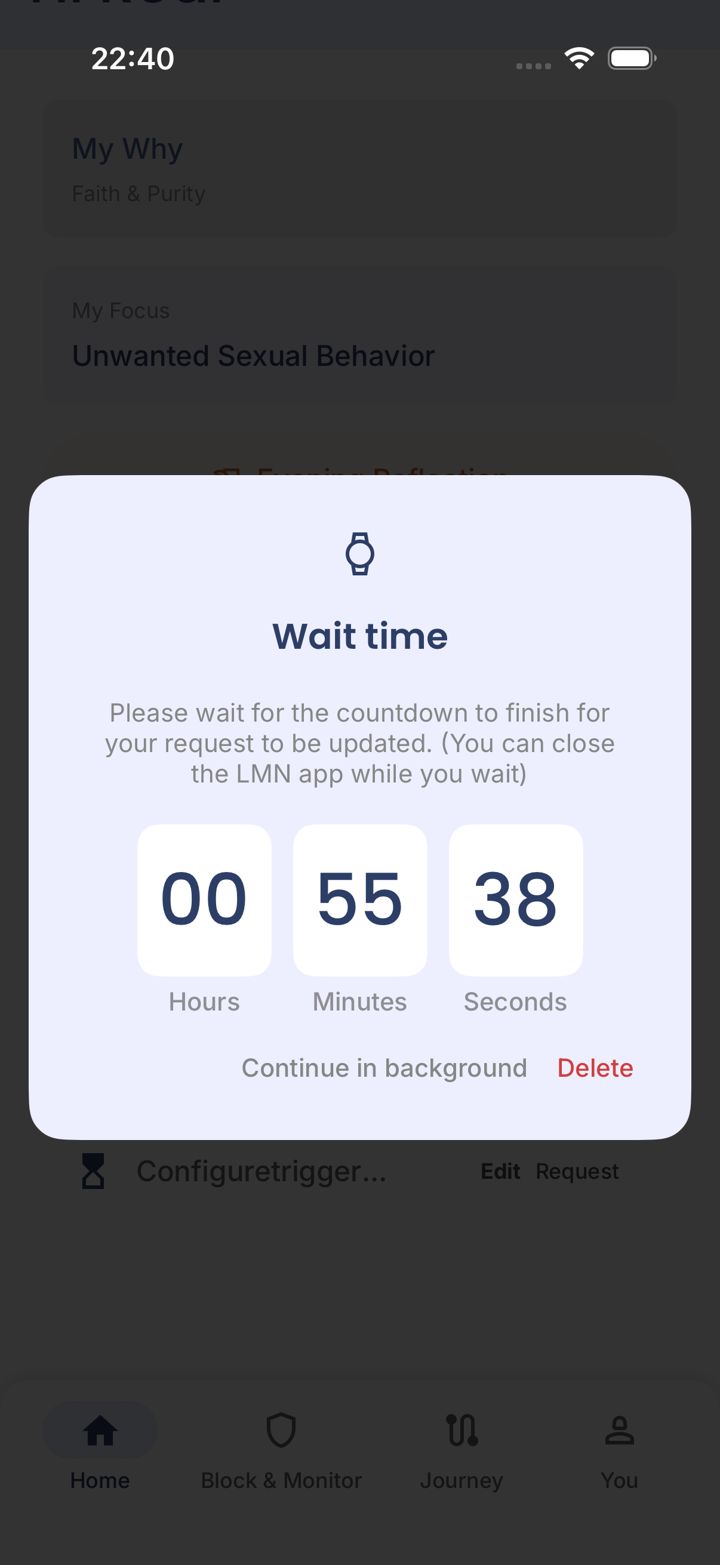
Step 3 of 4
Wait it out
The change happens when the timer finishes. You can close the app. Tap Continue in background, or Delete to cancel the request.
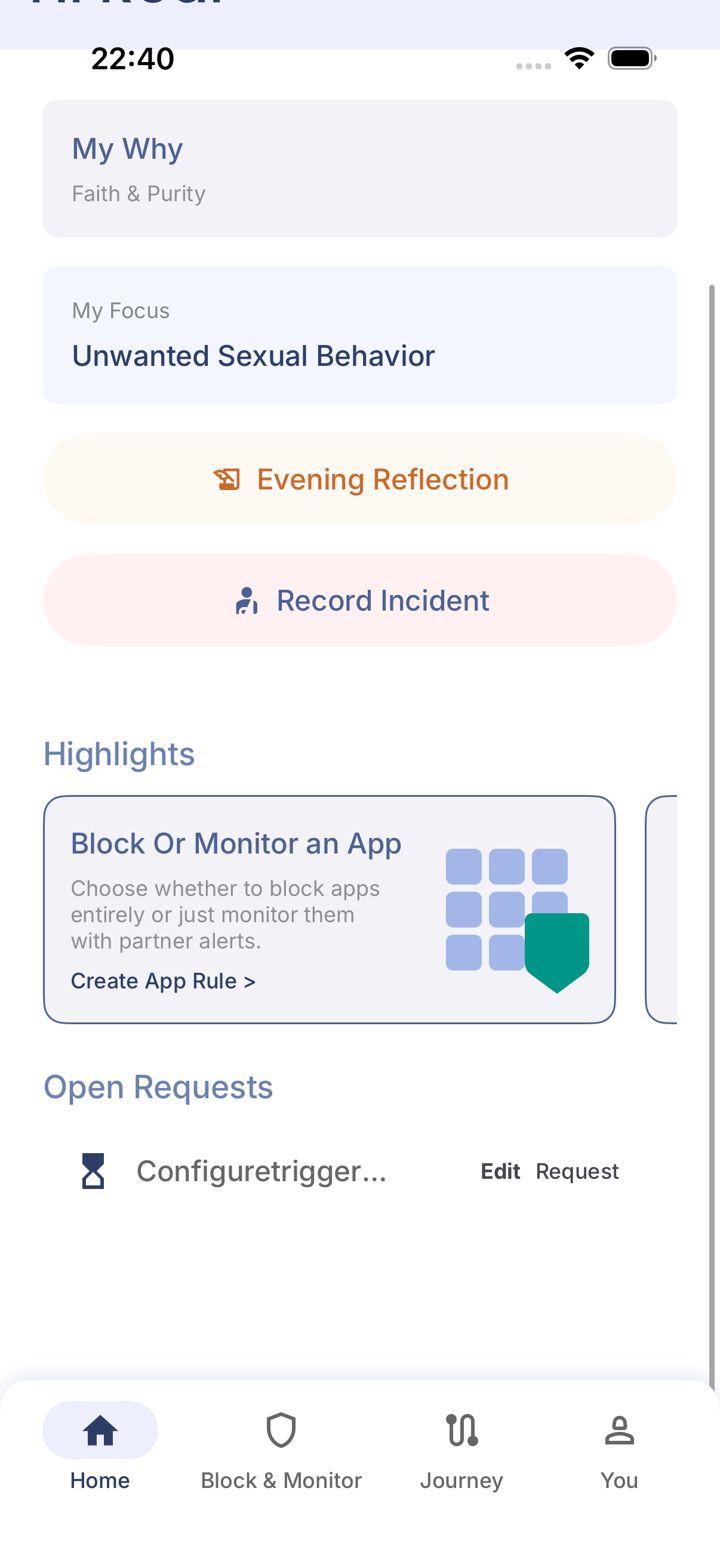
Step 4 of 4
Find it later under Open Requests
Your pending change is listed under Open Requests on the Home tab.
Pick an option above
Did this work?
Great. Here's what people usually do next:
Sorry about that. Email Jason and we'll include which guide and step you were on, or ask our assistant.