
Mac · Limit or block apps & sites
Block an app or website at certain hours
For example, nothing during work hours, or nothing after 10pm.
Step 1 of 7
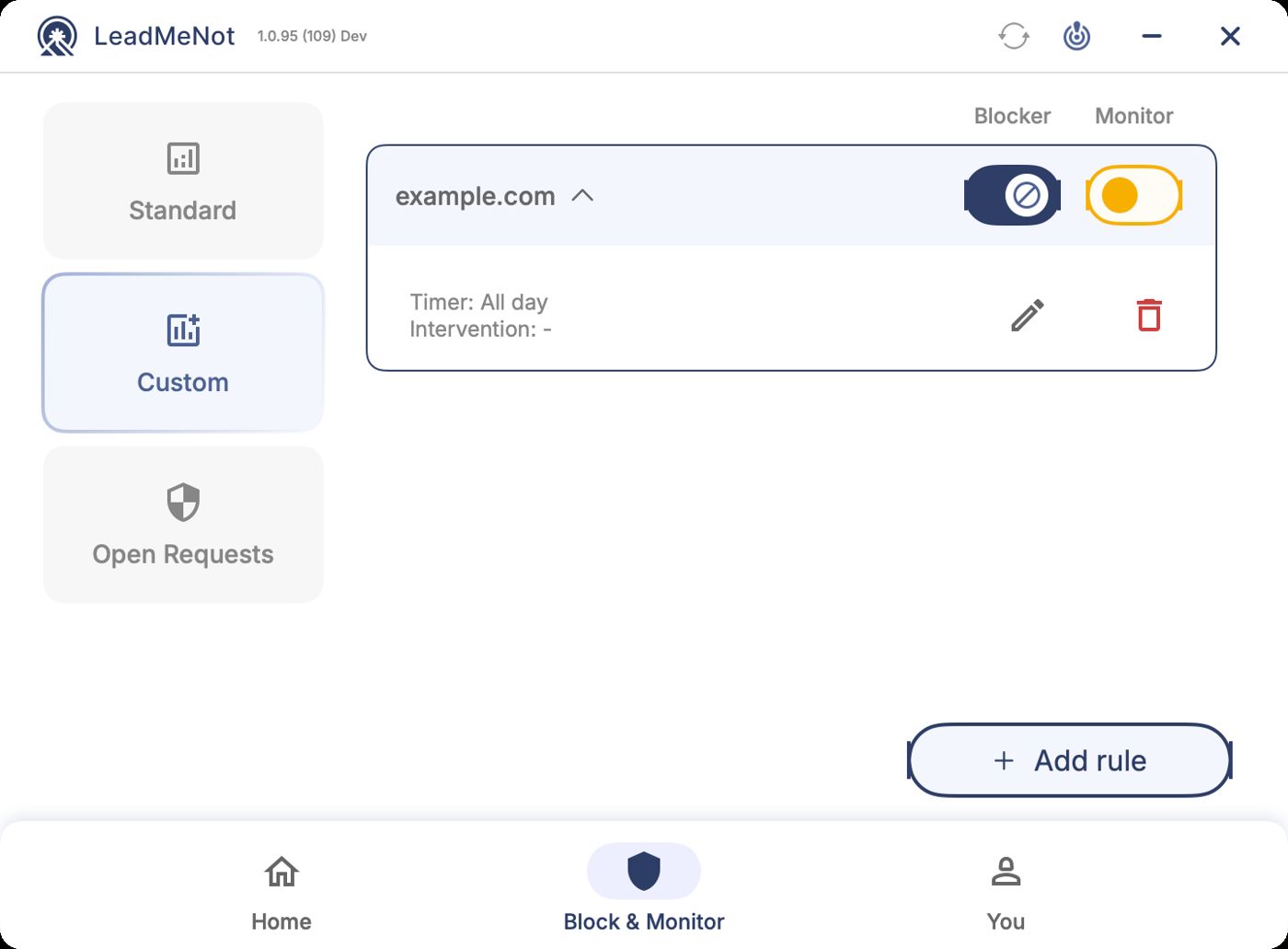
Open Block & Monitor › Custom, then Add rule
Click Block & Monitor, then Custom on the left, then Add rule.
Step 2 of 7
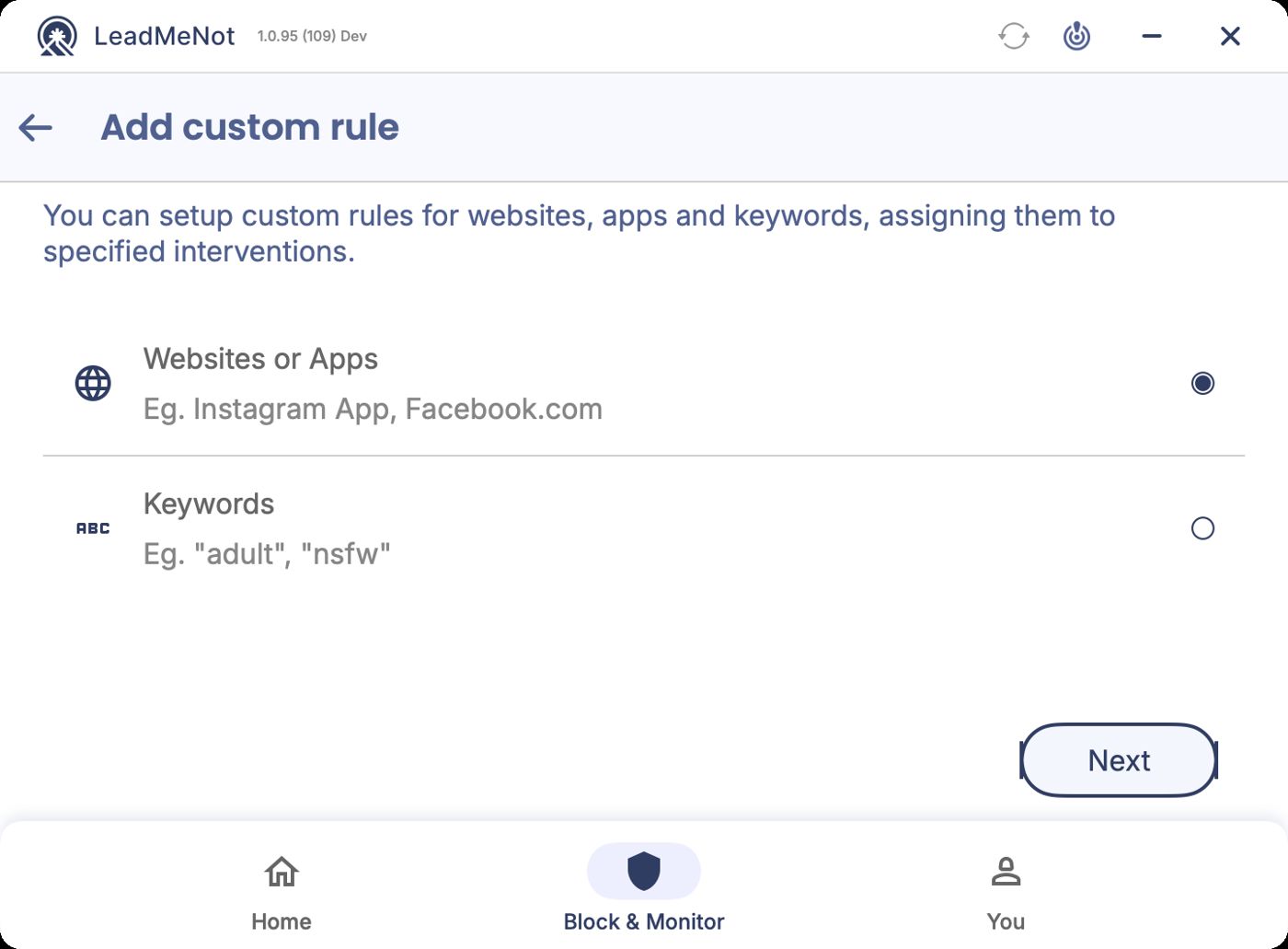
Choose Websites or Apps
Select Websites or Apps and click Next.
Step 3 of 7
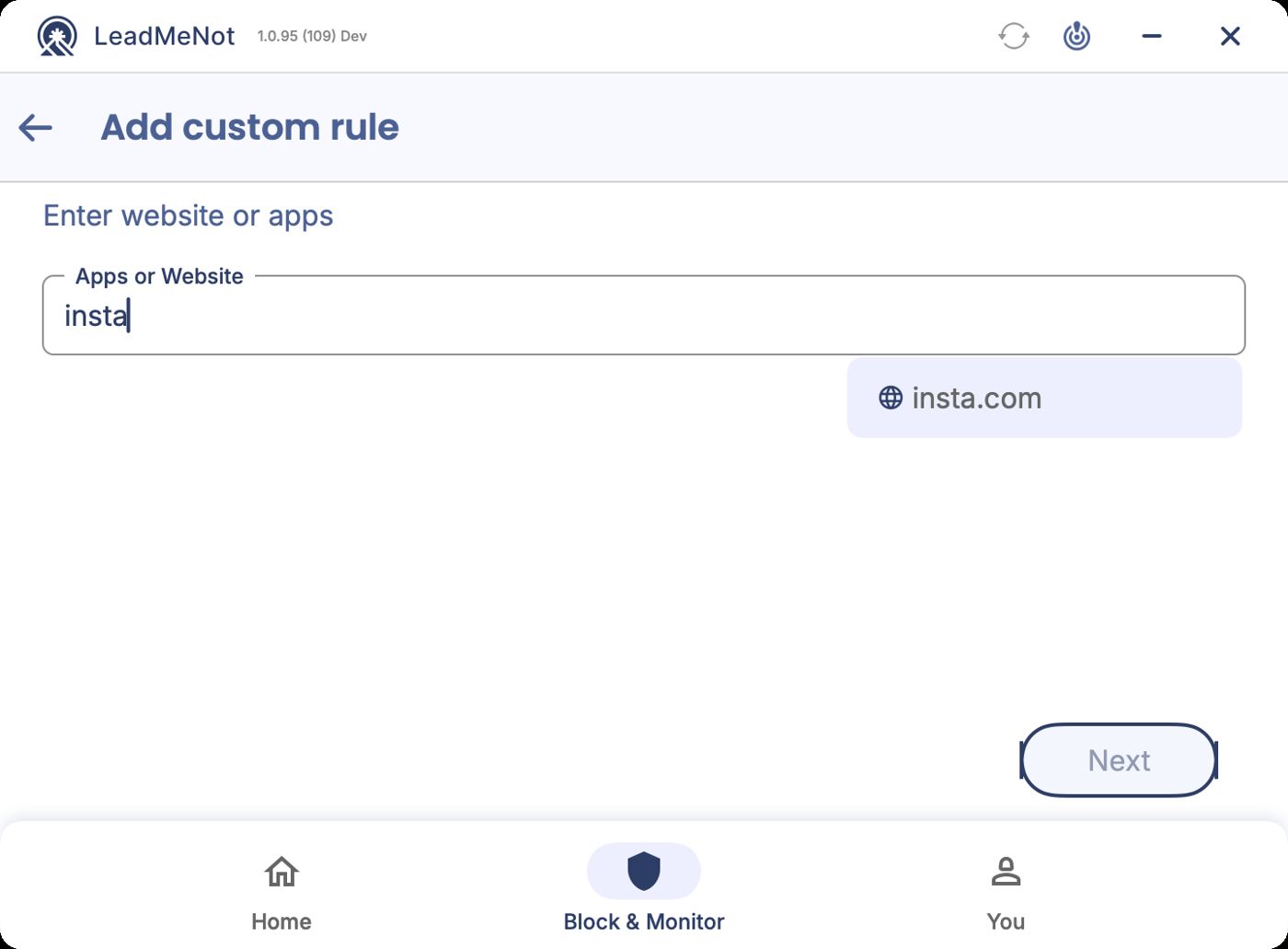
Type the website or app
Start typing. Websites appear with a globe, installed apps with a grid icon. Click the one you mean to add it as a chip. You can add several.
For a website, type the domain, like reddit.com. For an app, type its name as it appears on your computer.
Step 4 of 7
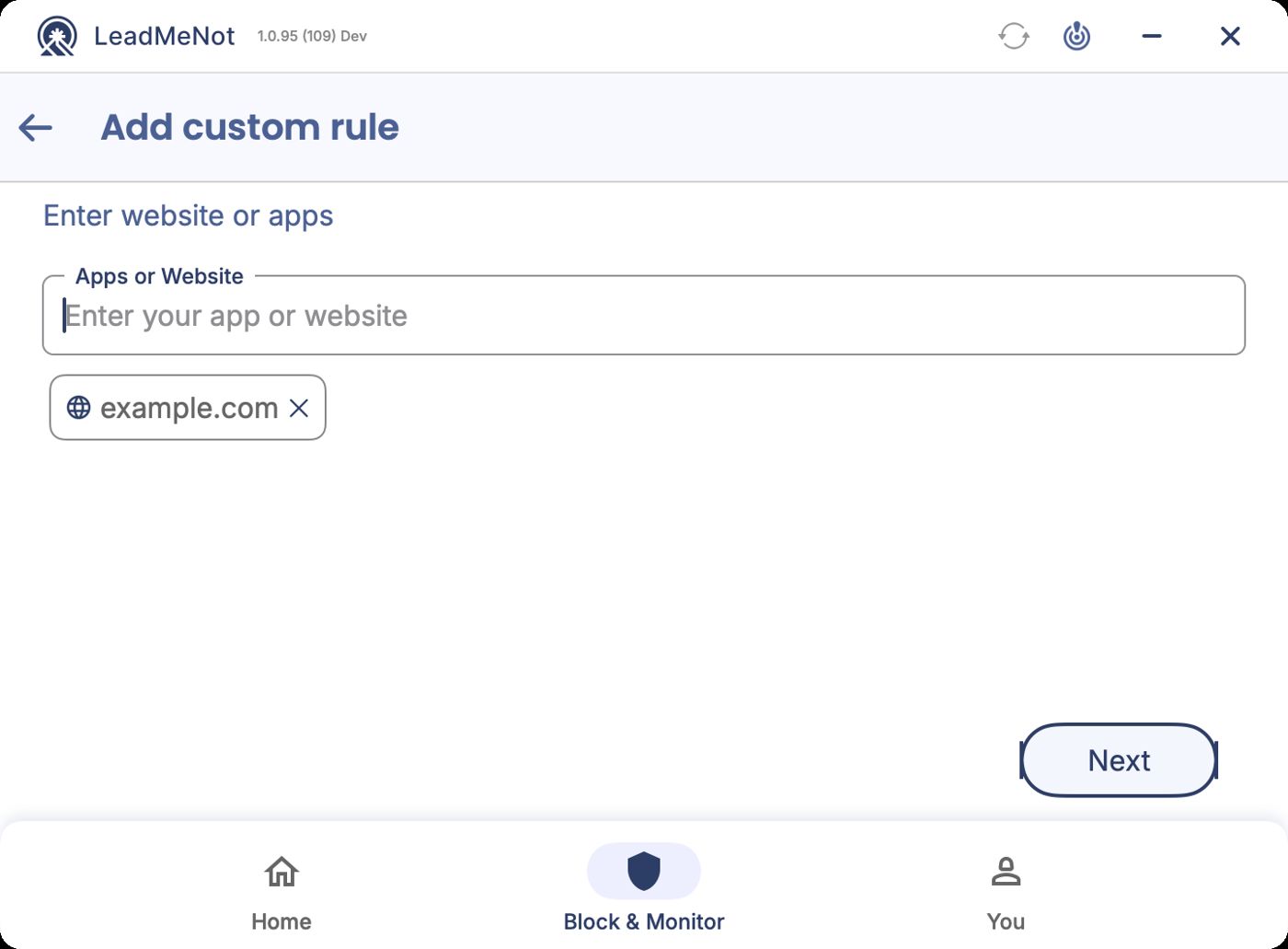
Check your chips, then Next
Each selected app or site shows as a chip. Click Next.
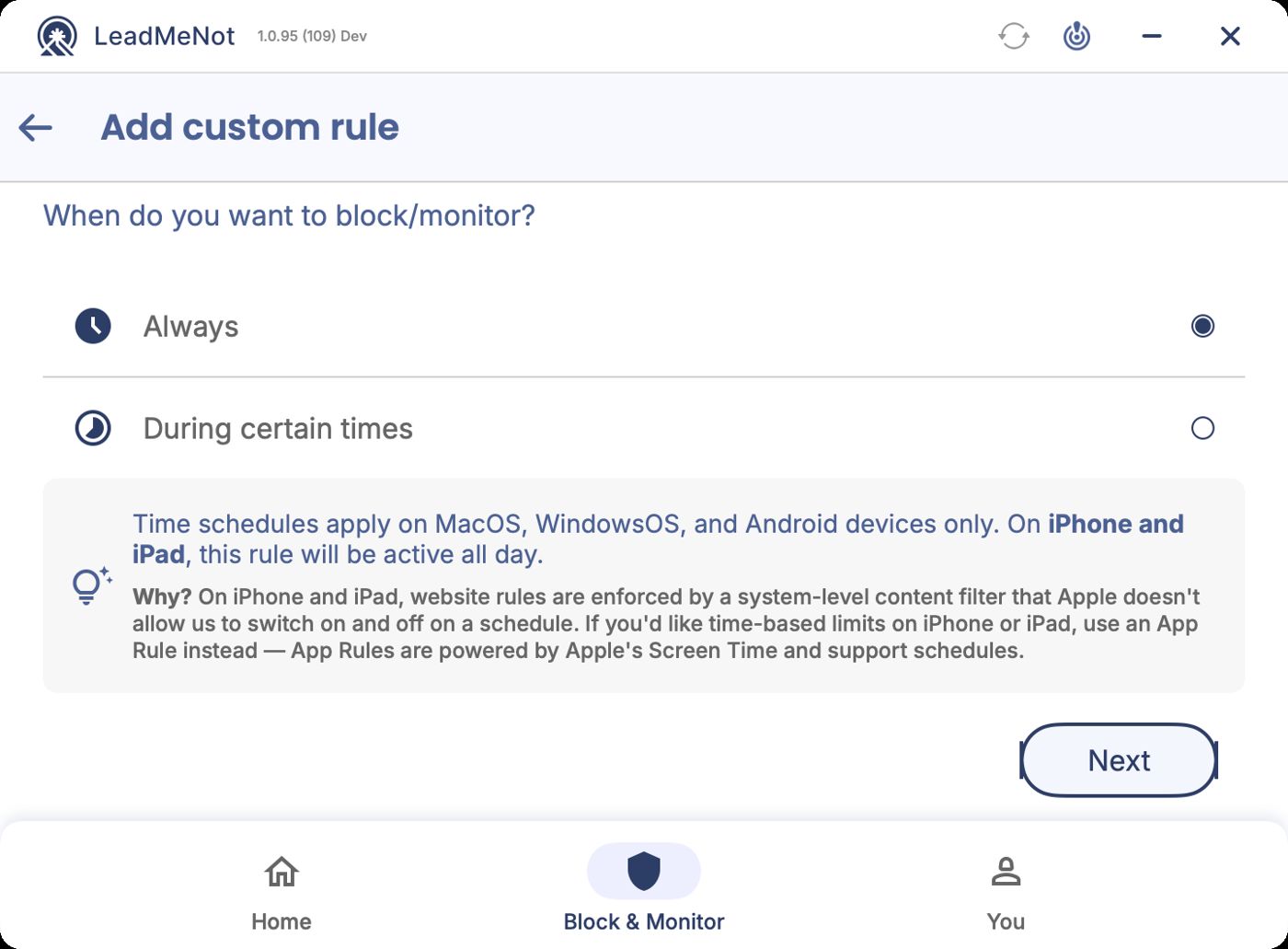
Step 5 of 7
Choose During certain times
Select During certain times and click Next.
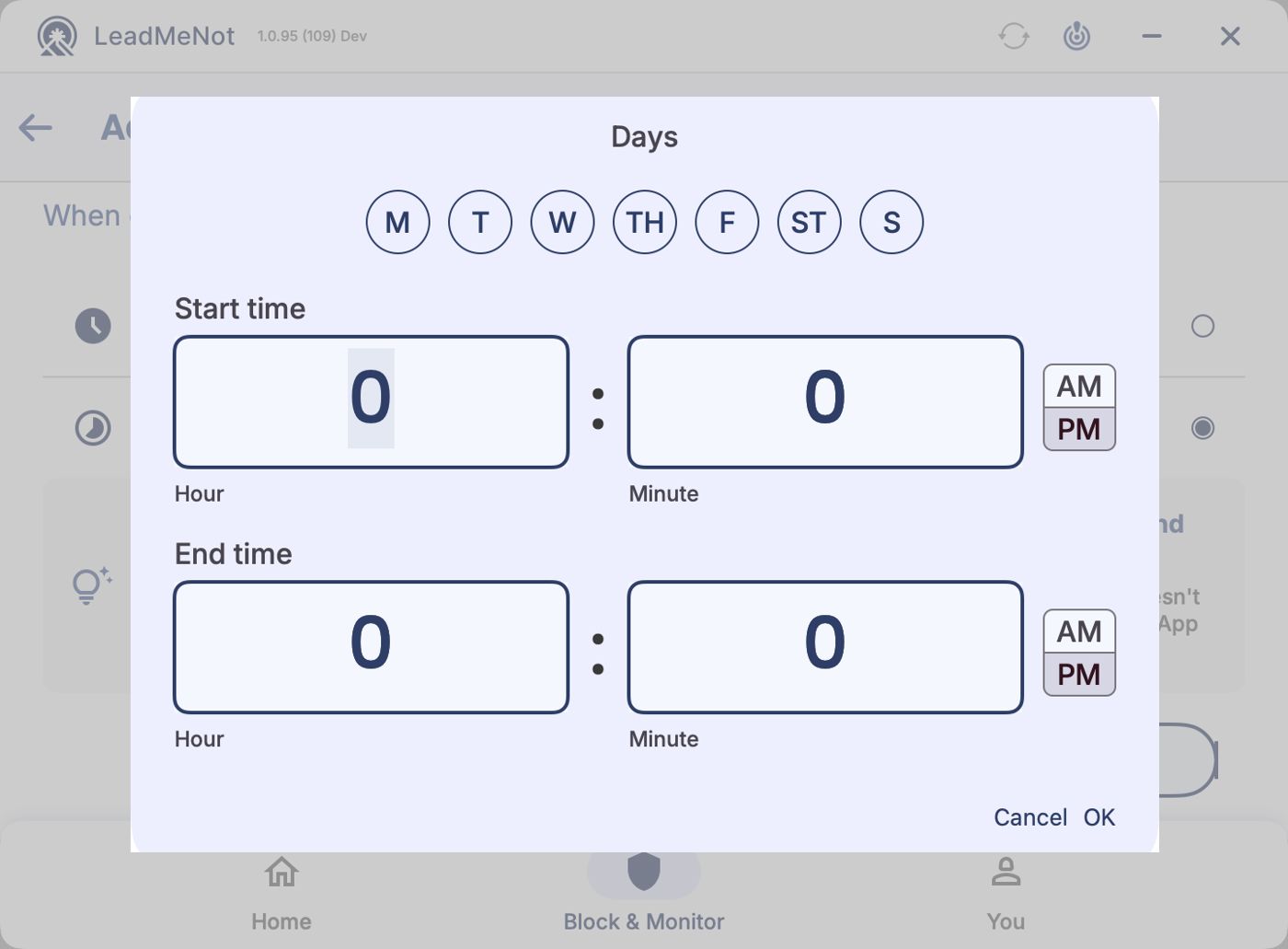
Step 6 of 7
Pick the days and hours
Click the days, set a Start time and End time, then click OK.
These are the hours it's blocked, not the hours it's allowed.
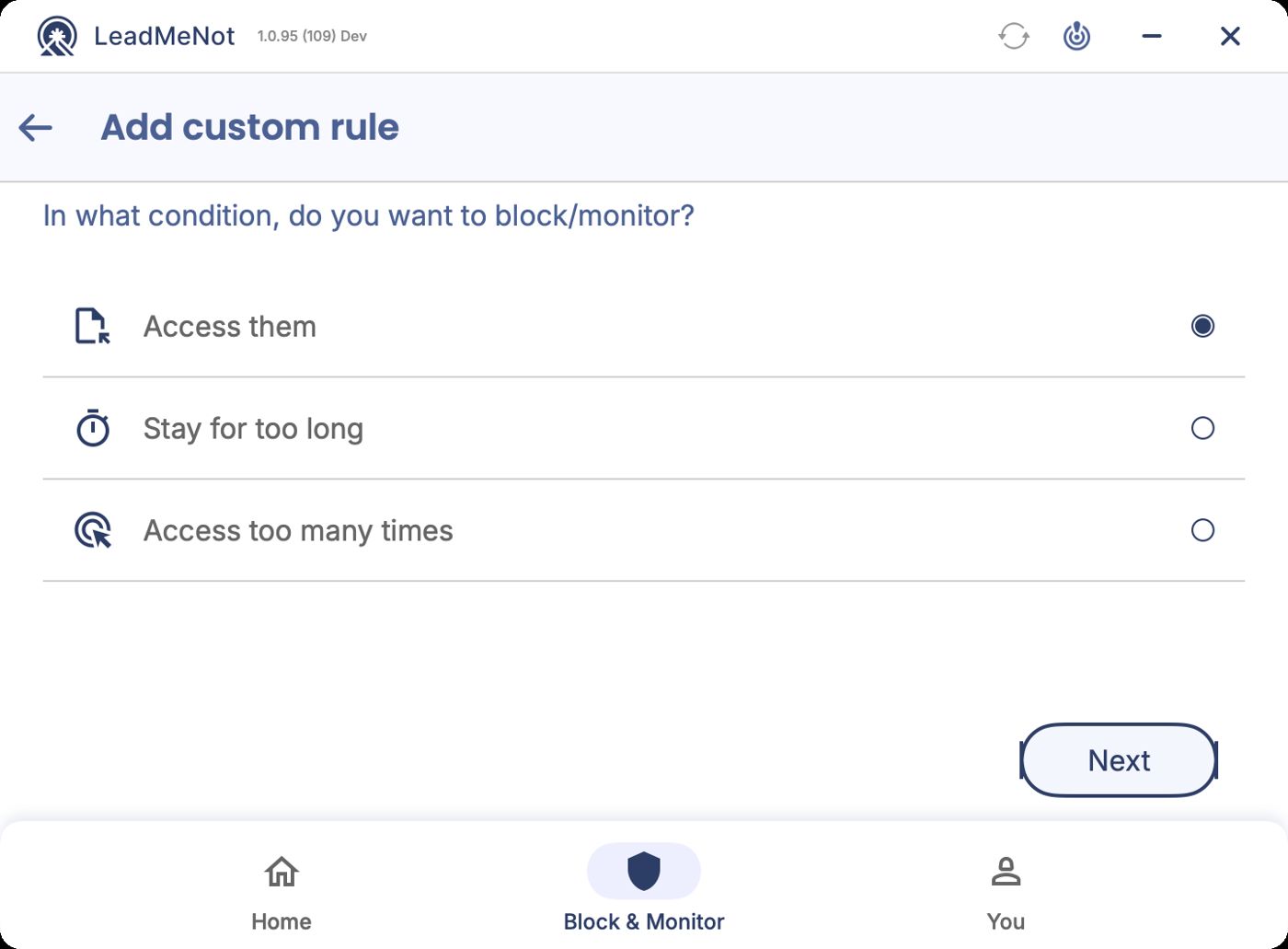
Step 7 of 7
Keep Access them, then Next
Leave Access them selected and click Next.
Did this work?
Great. Here's what people usually do next:
Sorry about that. Email Jason and we'll include which guide and step you were on, or ask our assistant.