
Windows · Account & billing
Manage or renew your subscription
Check your plan, upgrade, or renew after it lapses.
Pick up where you left off?
Step 1 of 2
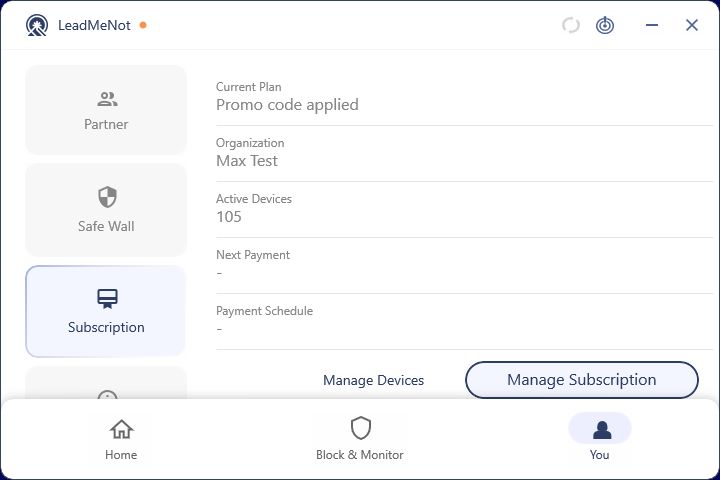
Open You › Subscription
Your current plan, organization code if you have one, and active devices are here. Click Manage Subscription to change it.
Step 2 of 2
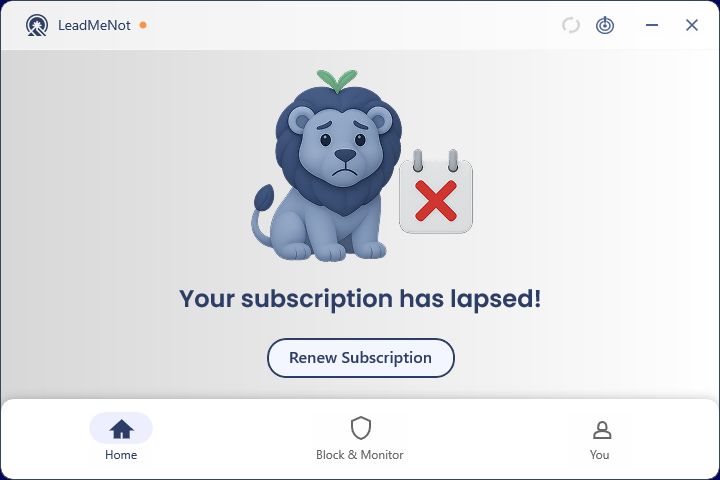
Subscription lapsed?
If you see this on Home, click Renew Subscription. Protection is off until you do.
Watch out
Can't renew, or the button does nothing? Email jason@leadmenot.org; some older plans need updating on our side.
Pick an option above
Did this work?
Great. Here's what people usually do next:
Sorry about that. Email Jason and we'll include which guide and step you were on, or ask our assistant.