Android · Your journey
Add your daily reflection
Check in with yourself each evening and track your progress.
Not on Android? iPhone & iPad · Windows · Mac · Chromebook
Step 1 of 4
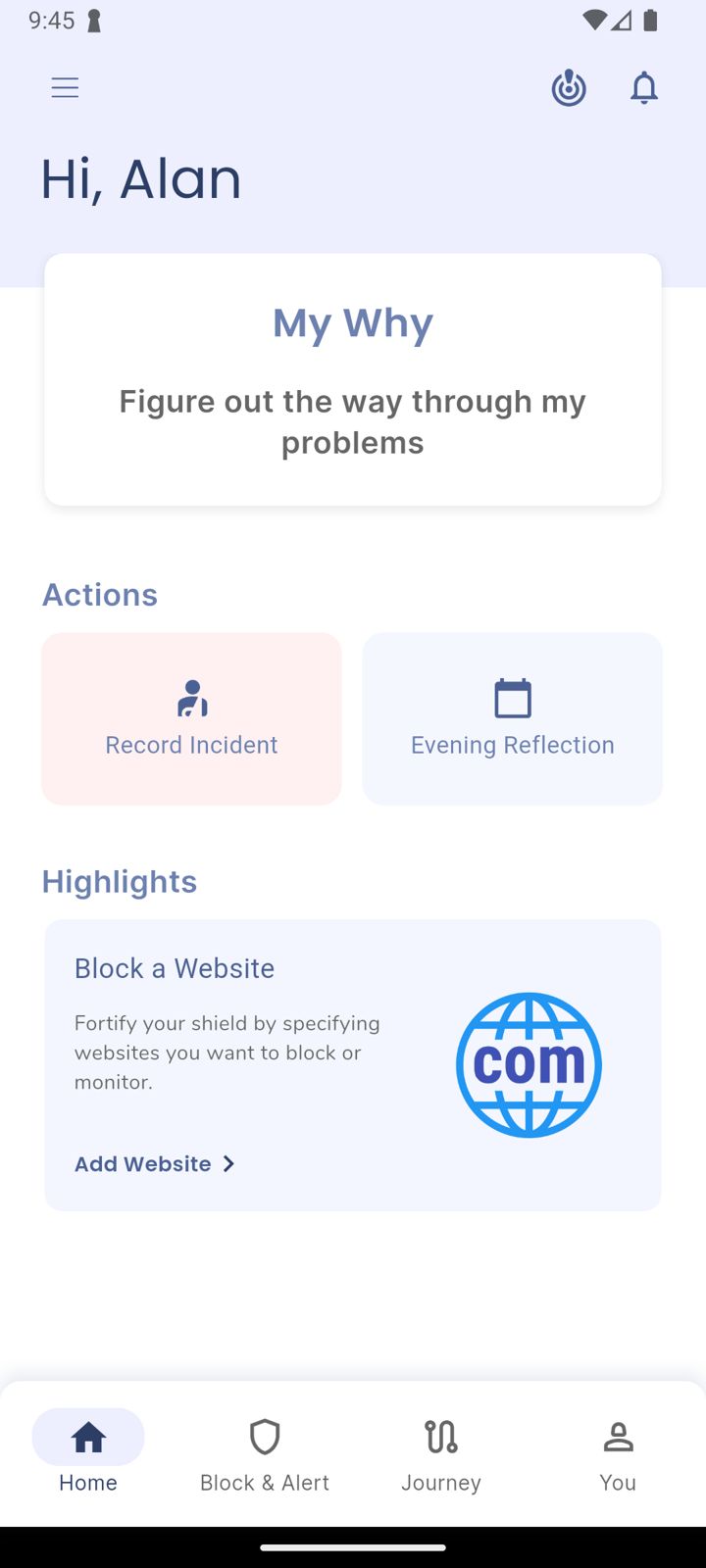
Tap Evening Reflection
On Home, under Actions, tap Evening Reflection.
Step 2 of 4
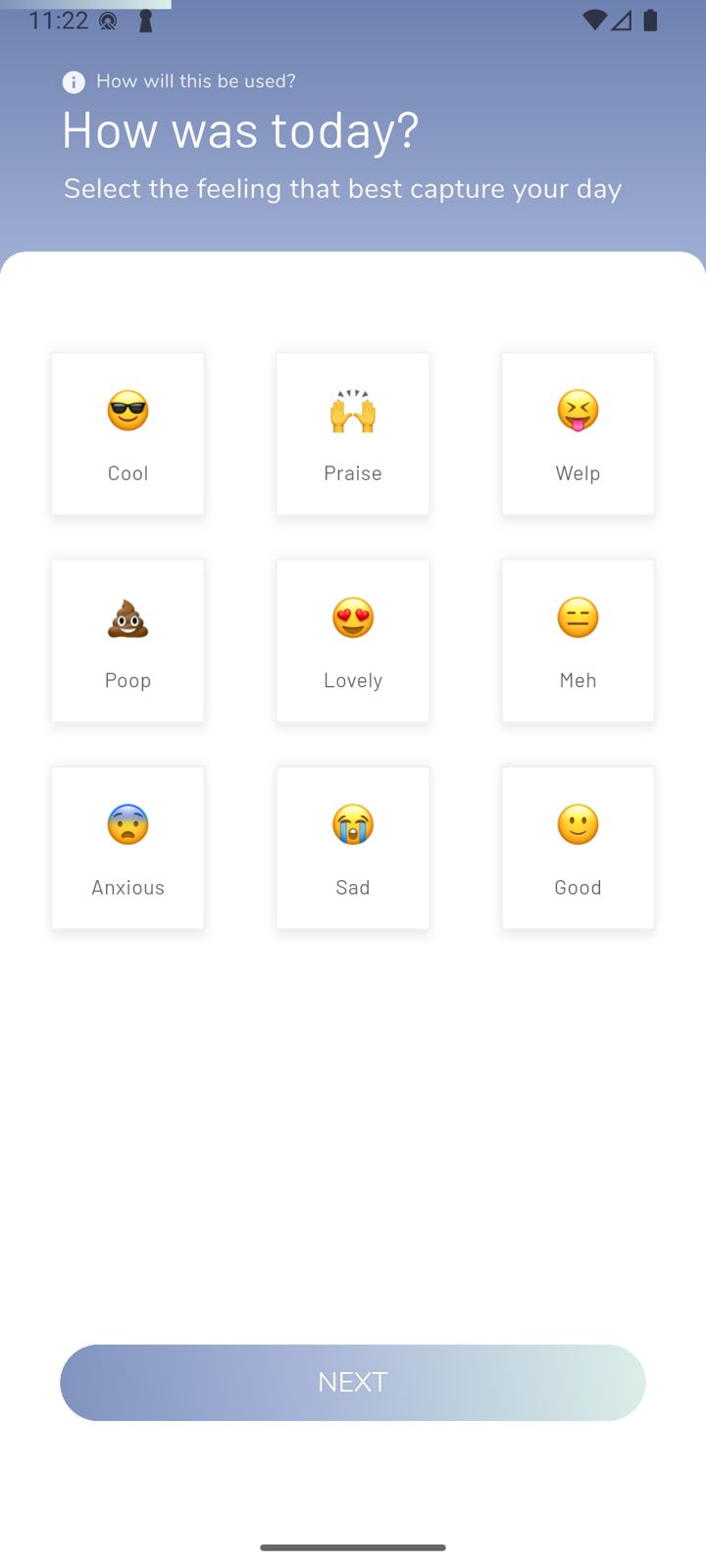
How was today?
Pick the feeling that best captures your day.
Step 3 of 4
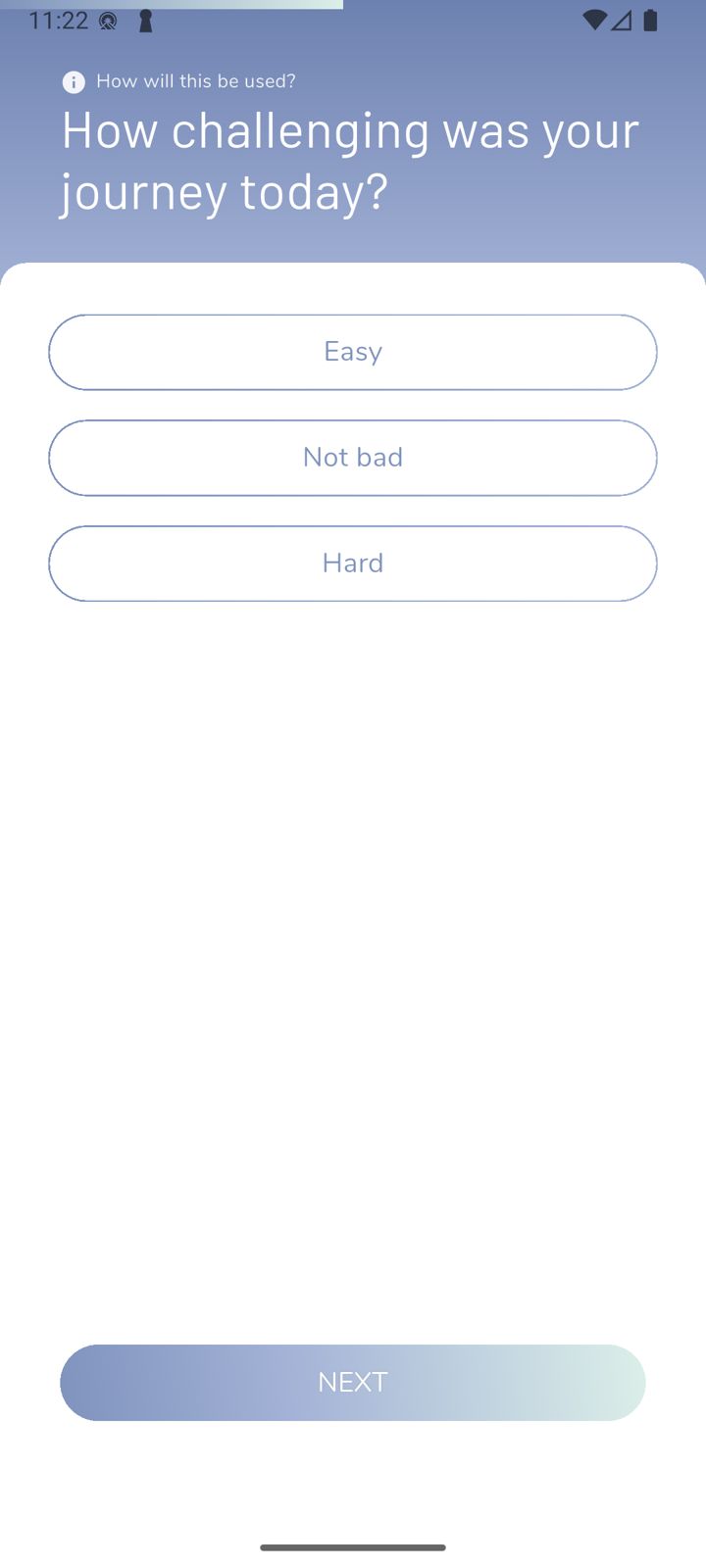
Answer a few questions
How challenging was today, any incidents to report, and anything else you want to write in your journal.
Your partner receives your completed reflections too, so they see how you're doing, not just when something goes wrong.
Step 4 of 4
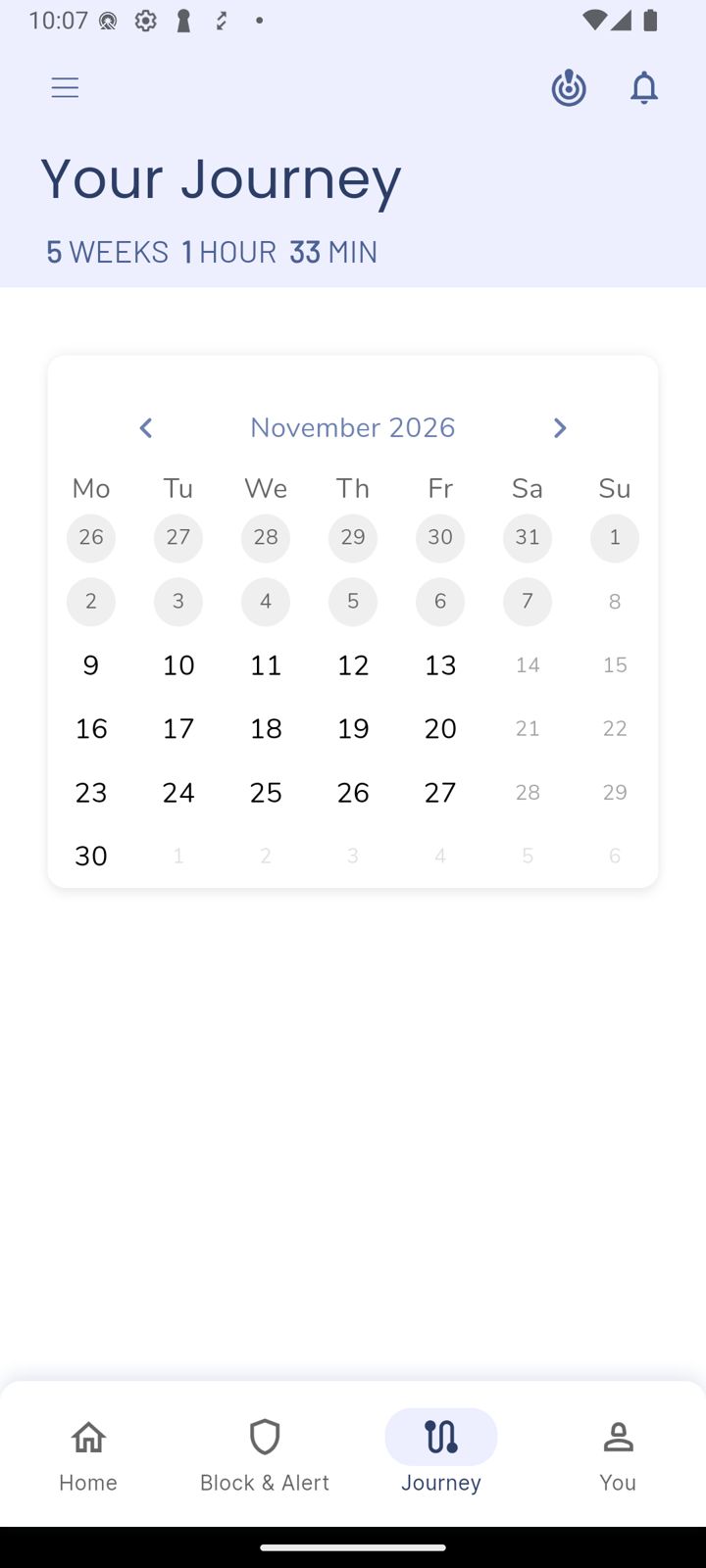
See your progress
The Journey tab shows how long you've been on your journey, with your days on a calendar.
Did this work?
 That's a real step.
Your protection is set. If you've added a partner, they've got your back, so you're never doing this alone. Here's what people usually do next:
Sorry about that. Email Jason and we'll include which guide and step you were on, or ask our assistant.