Android · Account & billing
See or remove your devices
Check which devices use your plan, and free up a slot.
Not on Android? iPhone & iPad · Windows · Mac · Chromebook
Pick up where you left off?
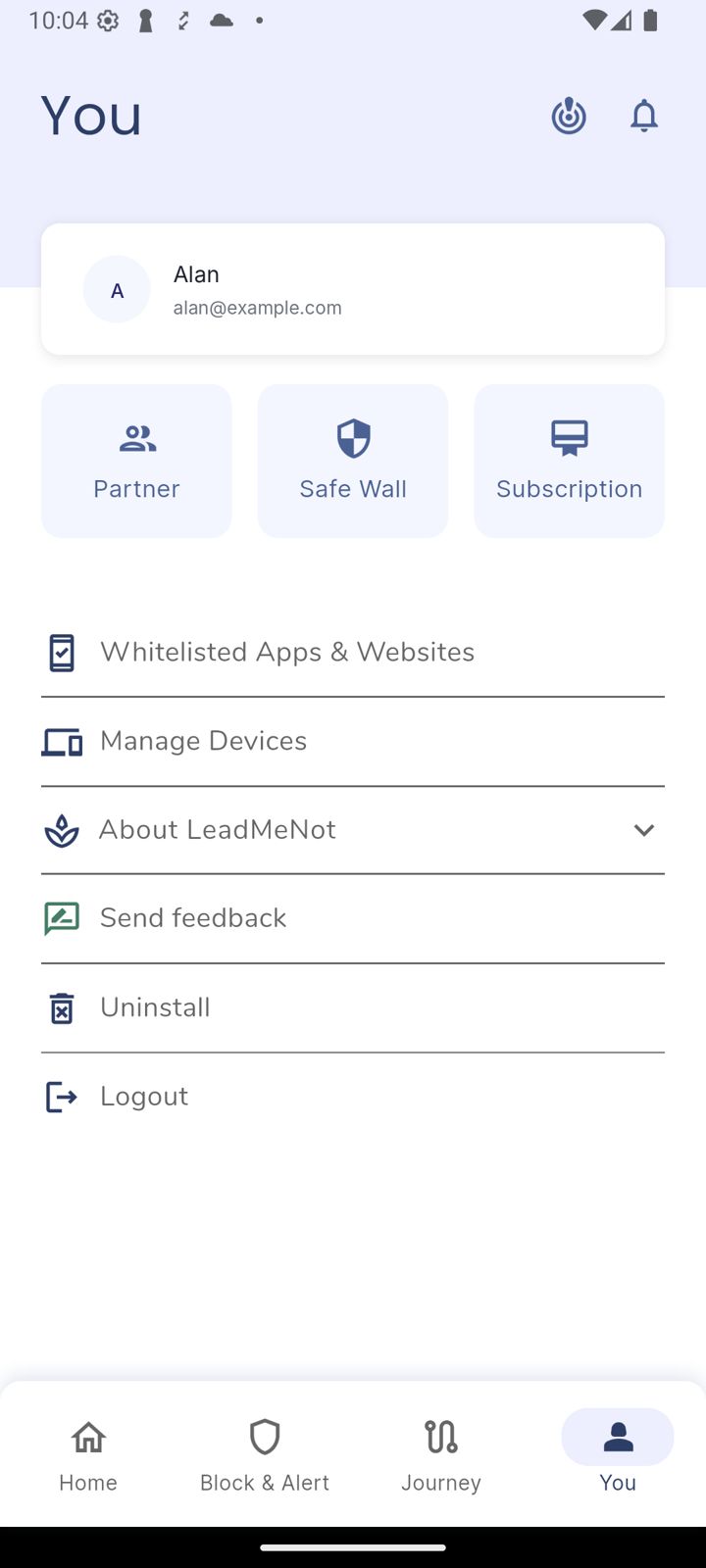
Step 1 of 2
Open You, then Manage Devices
Tap You, then Manage Devices.
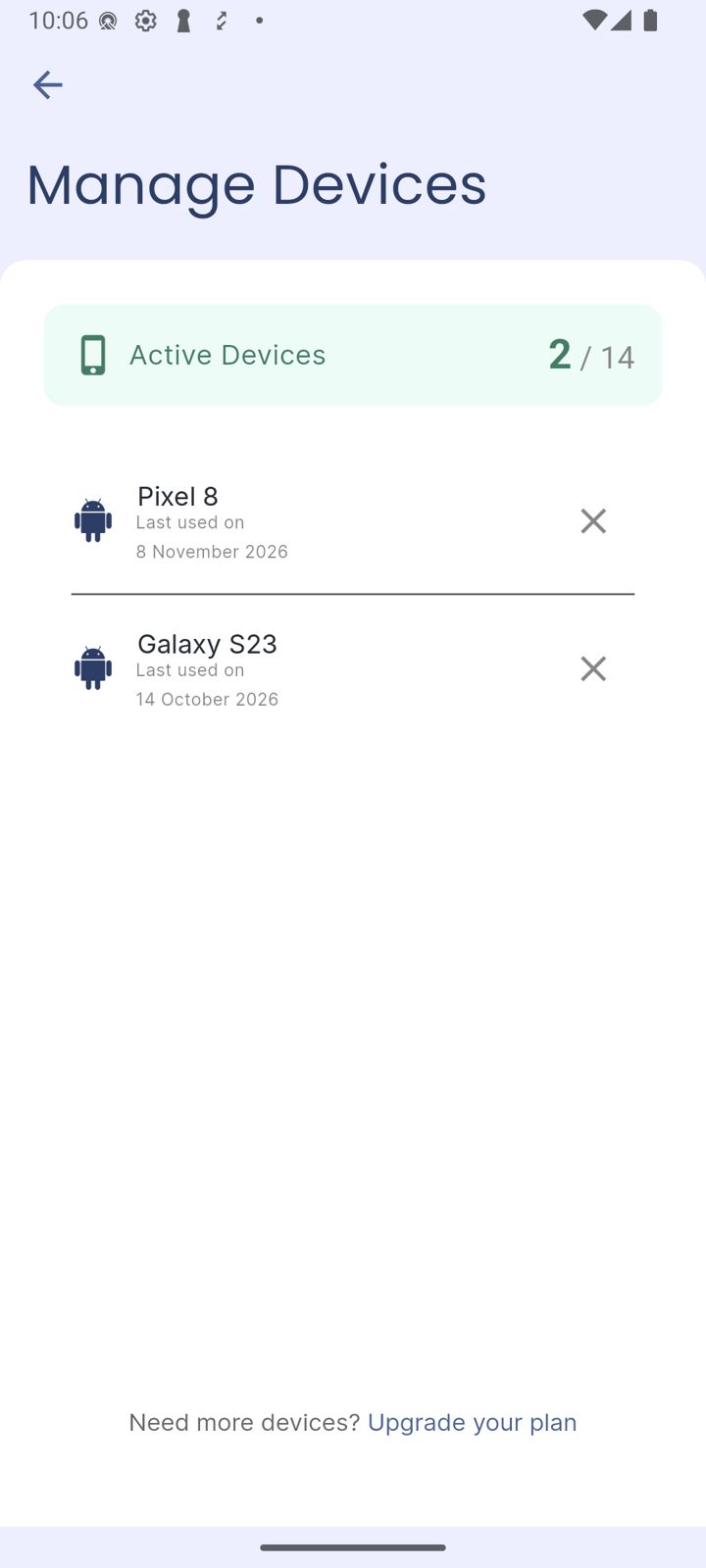
Step 2 of 2
Remove an old device
Tap the X next to a device you no longer use. Active Devices shows how many of your plan's devices are in use.
Good to know
Need more devices? Tap Upgrade your plan at the bottom.
Pick an option above
Did this work?
 That's a real step.
Your protection is set. If you've added a partner, they've got your back, so you're never doing this alone. Here's what people usually do next:
Sorry about that. Email Jason and we'll include which guide and step you were on, or ask our assistant.