Android · Lock it down
Set up your Safe Wall
Choose what stands between you and switching protection off: your partner's approval, or a wait.
Not on Android? iPhone & iPad · Windows · Mac · Chromebook
Step 1 of 7
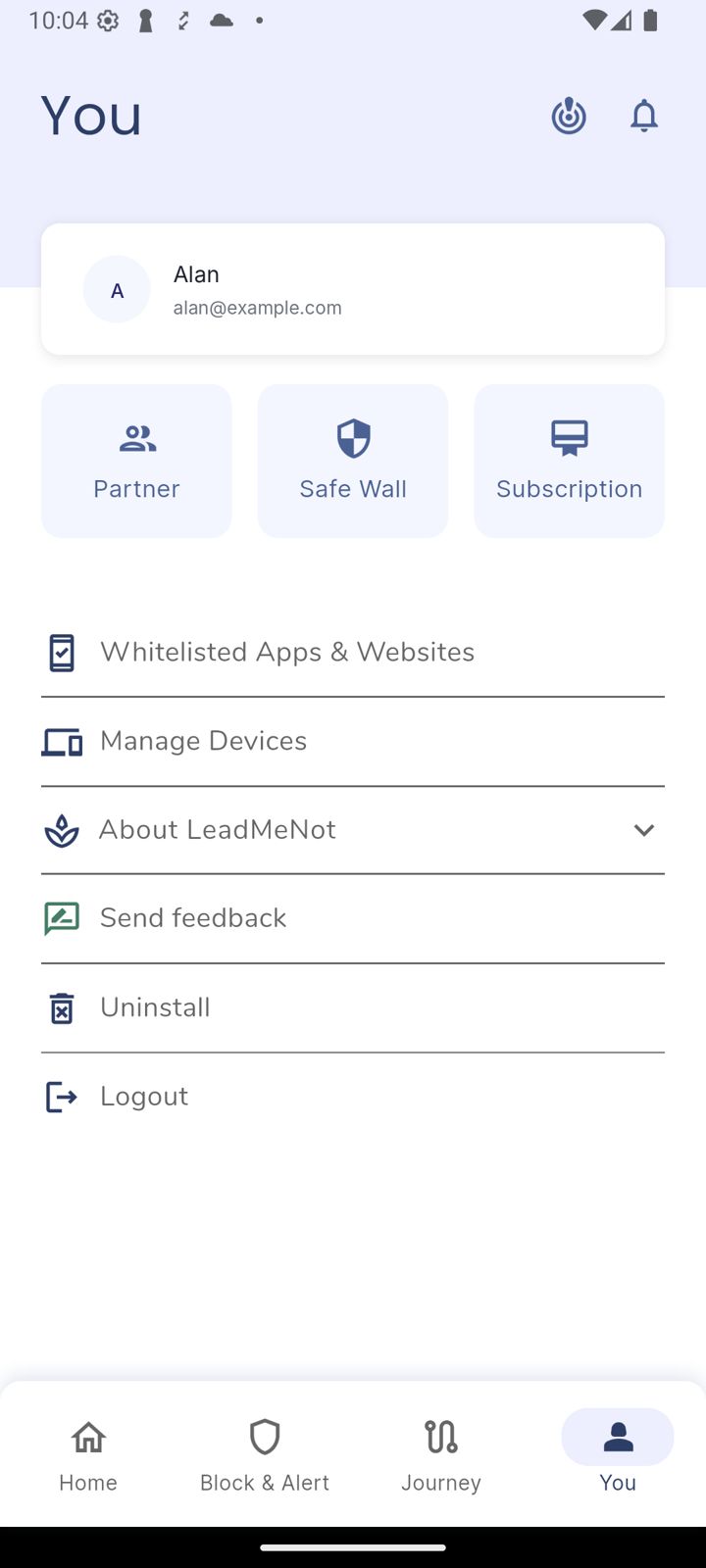
Open You, then Safe Wall
Tap You, then the Safe Wall tile.
Step 2 of 7
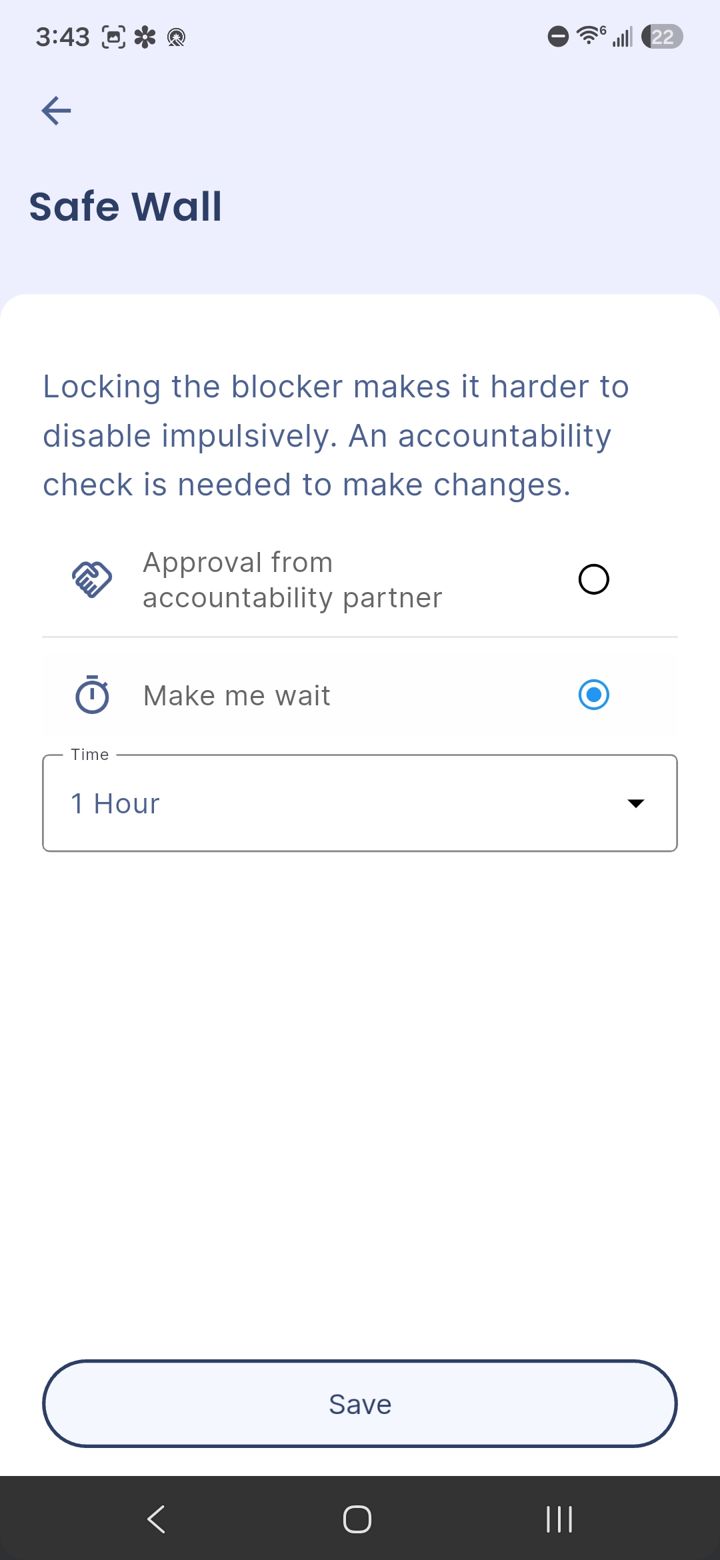
Pick partner approval or a wait
Approval from accountability partner means your partner has to OK every change by email. Make me wait adds a countdown before a change goes through.
Partner approval is the stronger choice if you have a partner you trust.
Step 3 of 7
Set the wait and save
With Make me wait, pick how long under Time. Then tap Save.
LeadMeNot
Step 4 of 7
How a change works from now on
Turning off a rule, adding an exclusion and similar changes go through your Safe Wall. With partner approval you'll see the next two screens.
Step 5 of 7
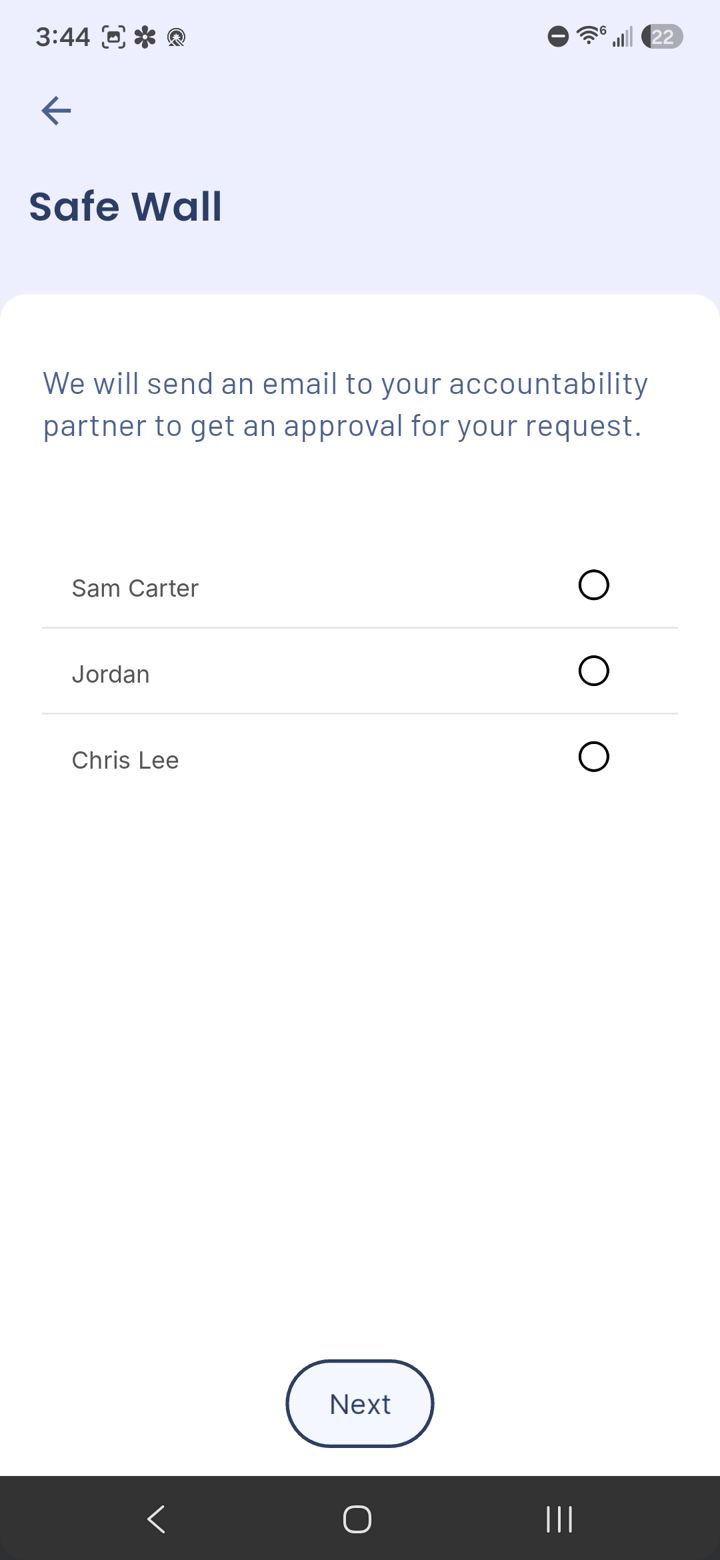
Pick who to ask
With Approval from accountability partner on, LeadMeNot emails your partner to approve the change. Pick a partner and tap Next.
Step 6 of 7
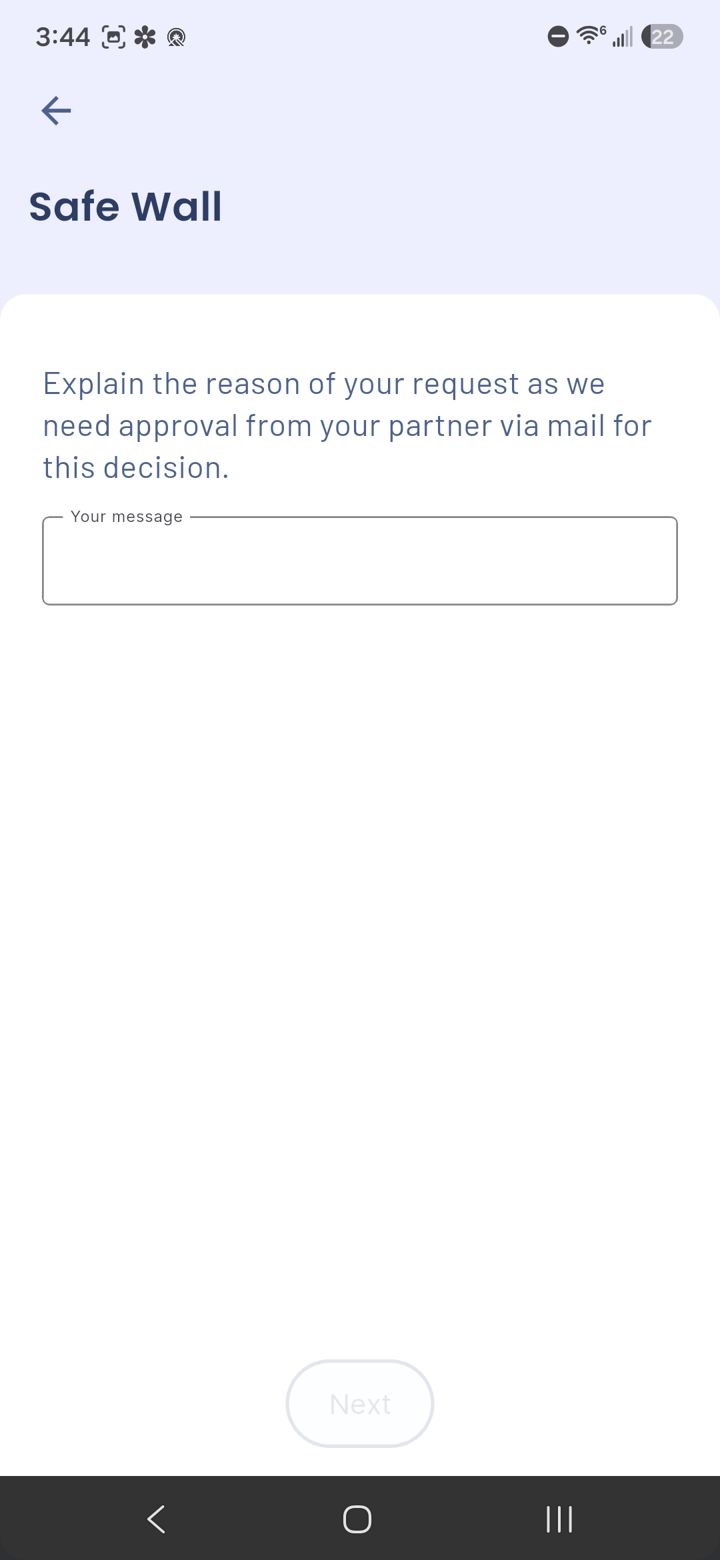
Explain why
Type a short reason under Your message and tap Next. Your partner sees it in the email.
Using Make me wait instead? You wait out your countdown, then the change goes through. Can't reach your partner? Email jason@leadmenot.org.
LeadMeNot · Block & Alert
Step 7 of 7
Find it under Open requests
Pending changes are listed under Open requests on Block & Alert until they're approved or your wait is over.
Did this work?
 That's a real step.
Your protection is set. If you've added a partner, they've got your back, so you're never doing this alone. Here's what people usually do next:
Sorry about that. Email Jason and we'll include which guide and step you were on, or ask our assistant.