
iPhone & iPad · Lock it down
Choose your Safe Wall
Decide what it takes to switch protection off: a wait, or your partner's OK.
Pick up where you left off?
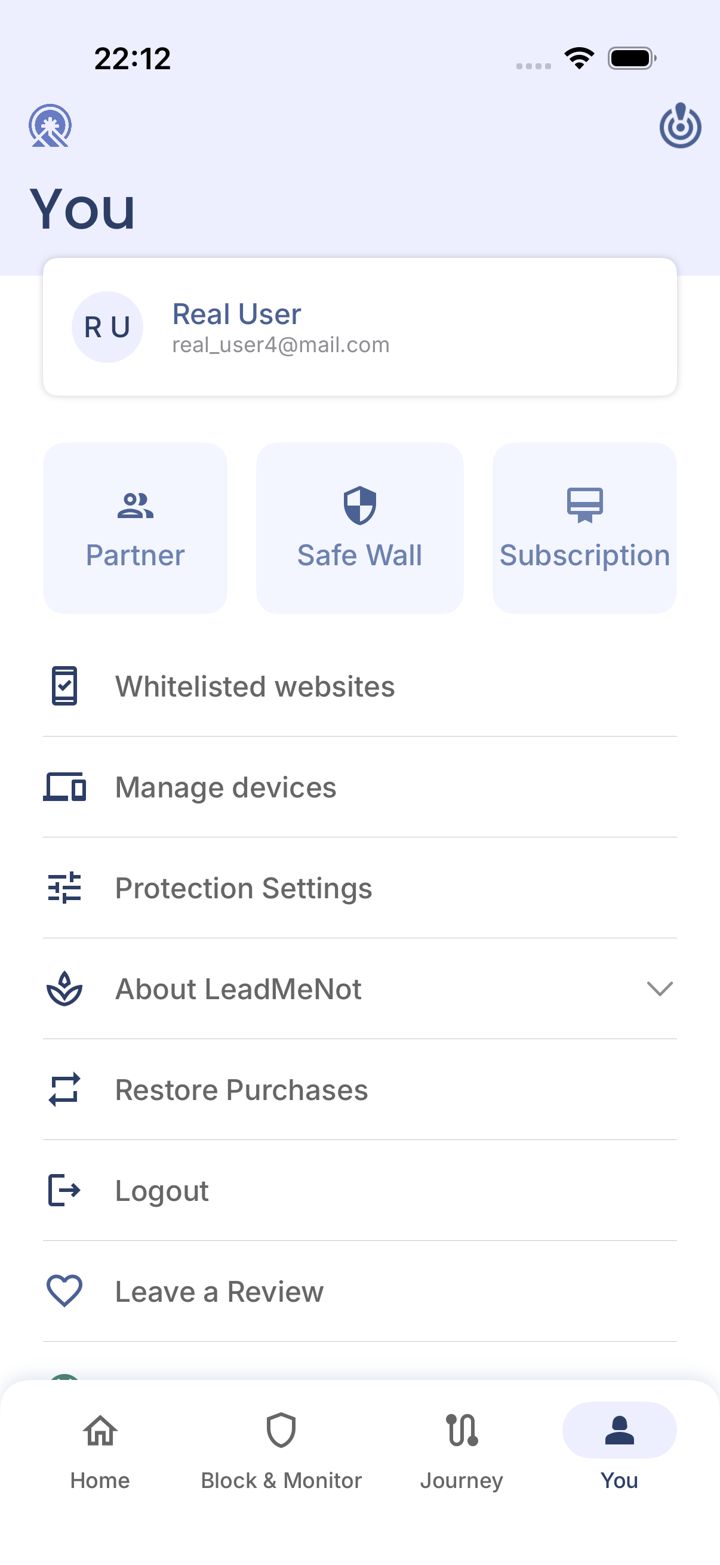
Step 1 of 4
Open the You tab
Tap You in the bottom right of the app.
Step 2 of 4
Tap Safe Wall
Tap Safe Wall near the top.
Step 3 of 4
Which Safe Wall do you want?
You can change this later, though changing it goes through your current Safe Wall.
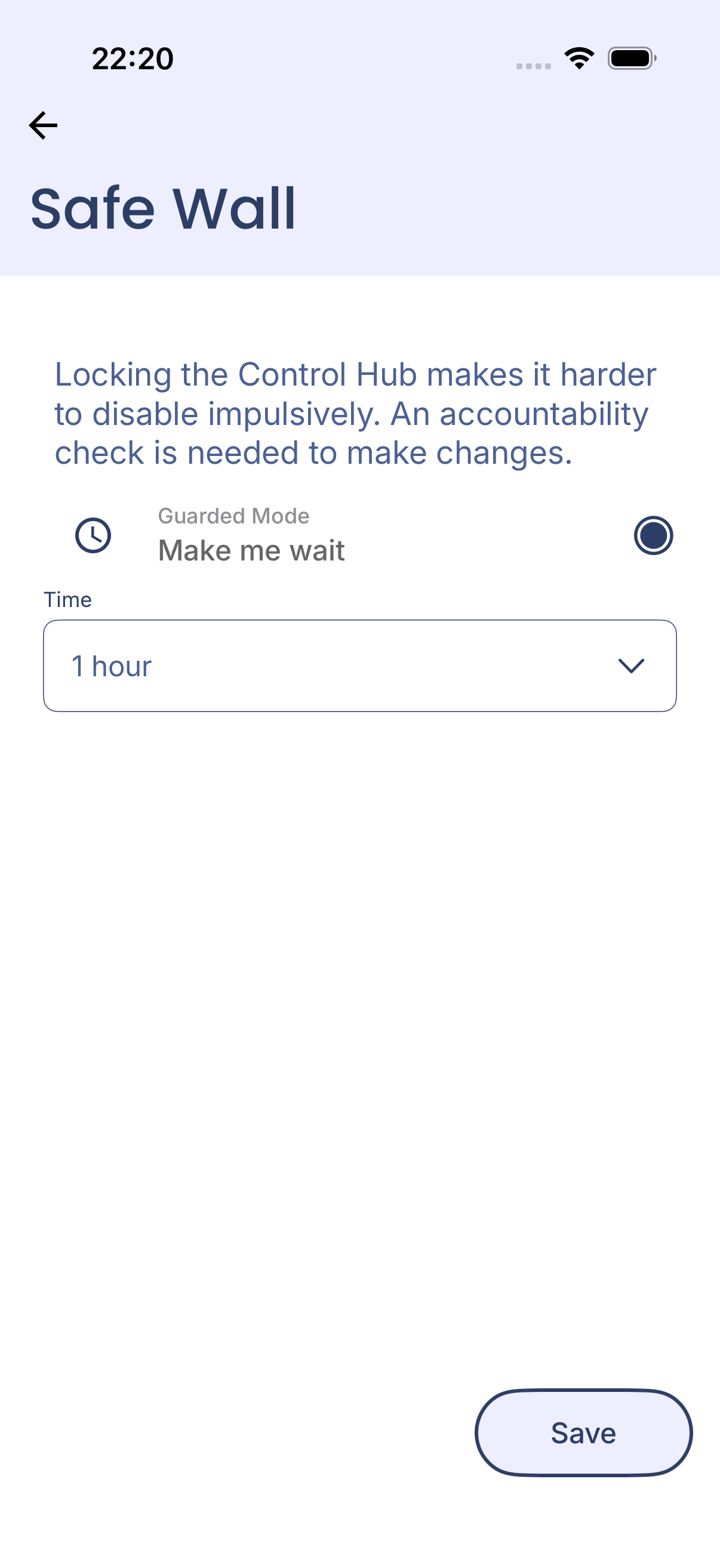
Step 4 of 4
Pick a wait time and save
Choose how long to wait under Time, then tap Save.
Good to know
Longer is stronger. Most urges pass well within an hour.
Pick an option above
Did this work?
Great. Here's what people usually do next:
Sorry about that. Email Jason and we'll include which guide and step you were on, or ask our assistant.