iPhone & iPad · Block porn & explicit content
Quit porn: turn on Adult Websites & Apps
Switch on our built-in adult list, close the gaps, lock it, and bring a partner in.
Not on iPhone & iPad? Android · Windows · Mac · Chromebook
First
Step 1 of 5
You're not alone in this
Wanting to stop is the hard part, and you've already started. Turn on the rule below, then bring a partner in: accountability is what makes it stick. If you're struggling right now, the assistant or jason@leadmenot.org is here, no judgement.
Step 2 of 5
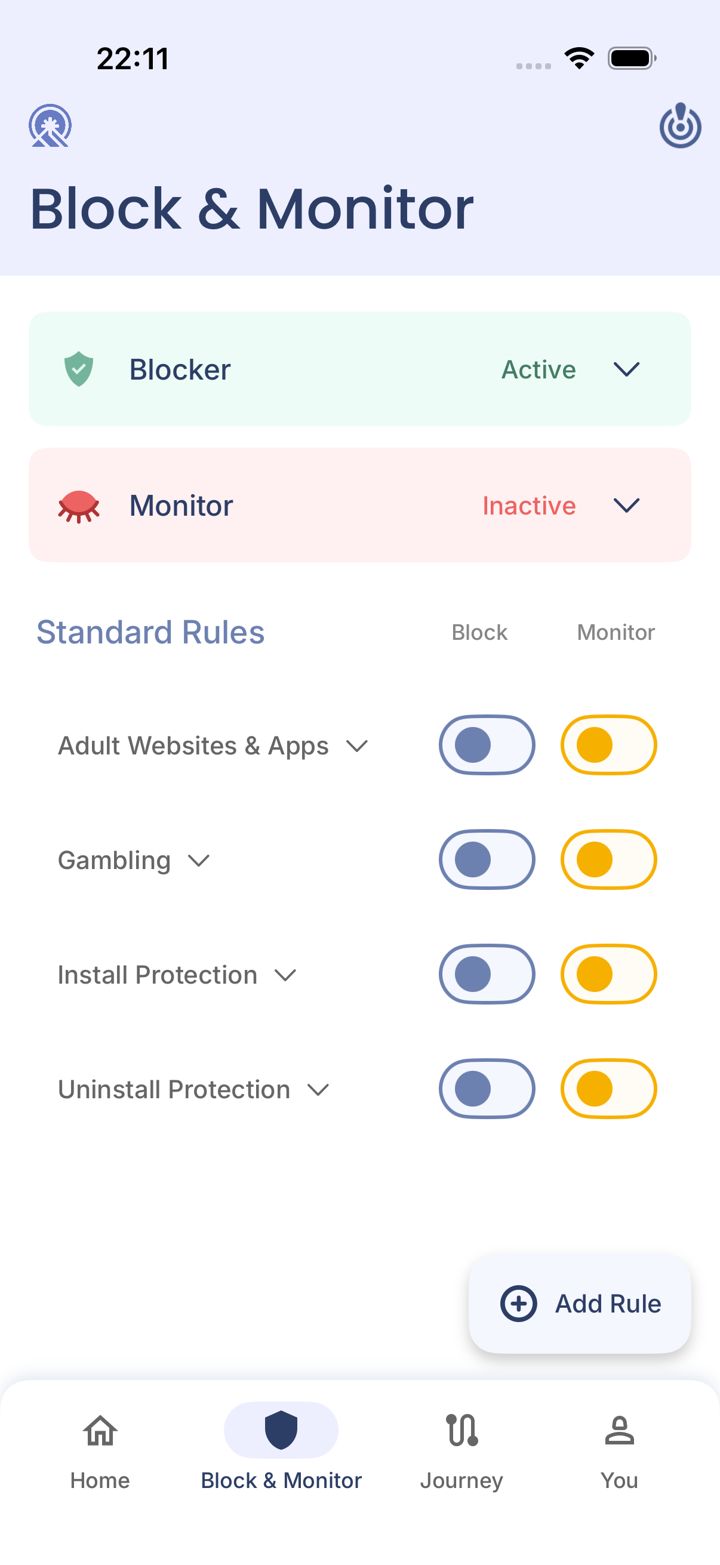
Turn on Adult Websites & Apps
On Block & Monitor, switch on Block for Adult Websites & Apps, our built-in list of explicit sites, apps and search terms. Switch on Monitor too, so your partner is alerted.
Step 3 of 5
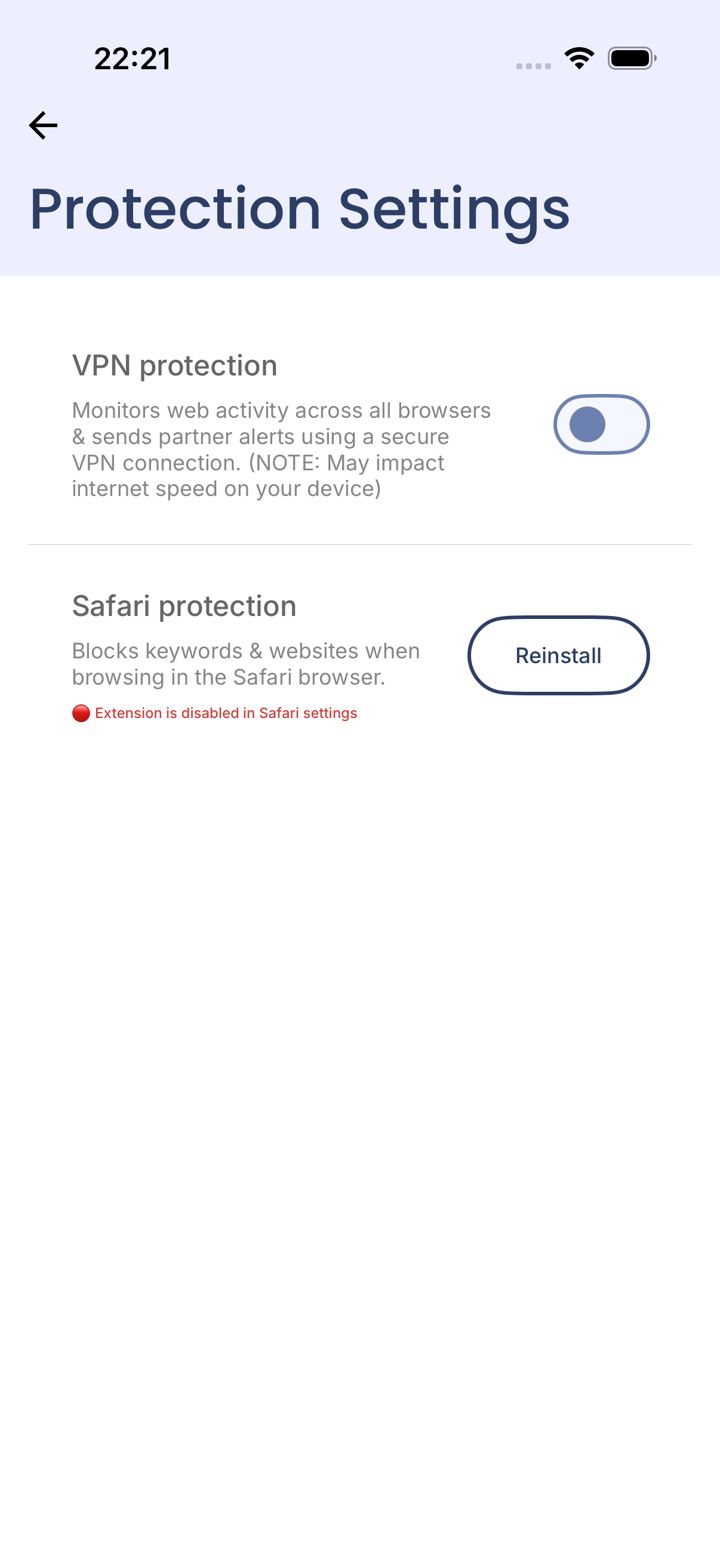
Close the gap: the Safari Extension
On iPhone, websites and keywords are checked in Safari through the Safari Extension. Open You › Protection Settings and make sure Safari protection has no red message (tap Reinstall if it does).
Then block every other browser (Chrome, Firefox, Opera…) in LeadMeNot, so all browsing goes through Safari. See Block browsers other than Safari.
Step 4 of 5
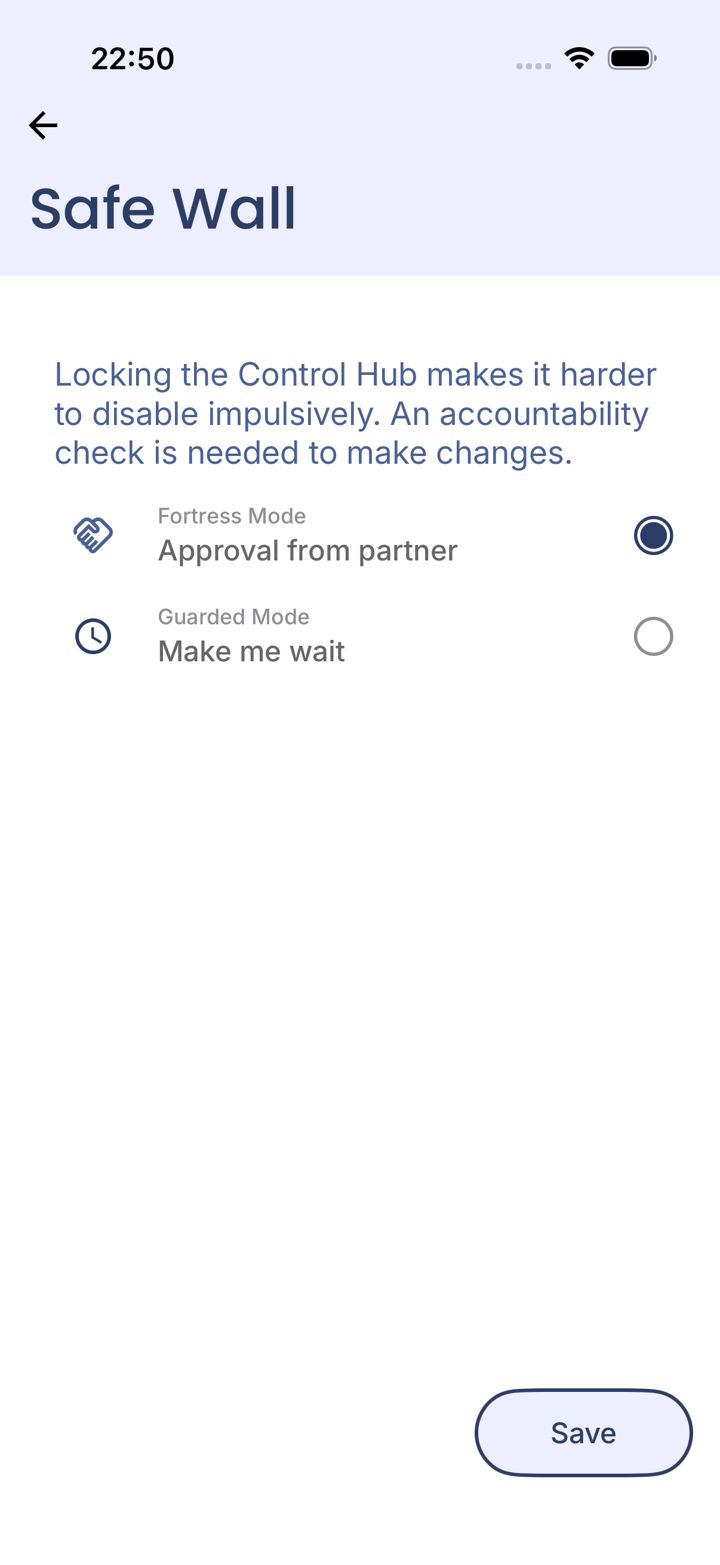
Lock it with your Safe Wall
Under You › Safe Wall, choose Approval from partner, so turning the rule off needs your partner's OK.
Also switch on Uninstall Protection on Block & Monitor so LeadMeNot can't be deleted in a weak moment.
Step 5 of 5
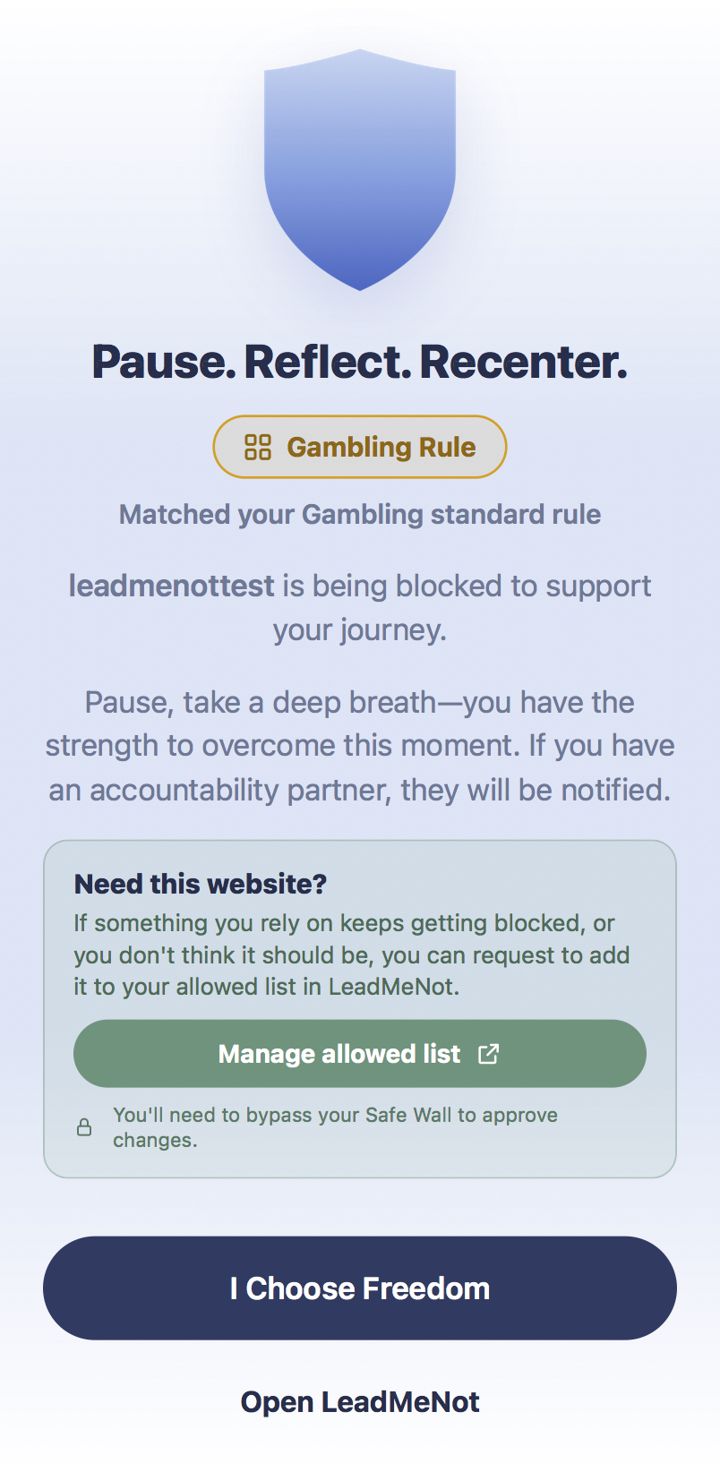
Test it: type leadmenottest
Open Safari, type leadmenottest into the address bar and go. If LeadMeNot blocks the page, everything is working.
Not blocked? Every permission has to be on. Check the Safari Extension is switched on, with no red message under You › Protection Settings (or VPN protection, if you use that instead), Screen Time access is allowed, and the Blocker says Active on Block & Monitor.
The test only works while blocking is on, for example with Adult Websites & Apps switched on.
Did this work?
 That's a real step.
Your protection is set. If you've added a partner, they've got your back, so you're never doing this alone. Here's what people usually do next:
Sorry about that. Email Jason and we'll include which guide and step you were on, or ask our assistant.